
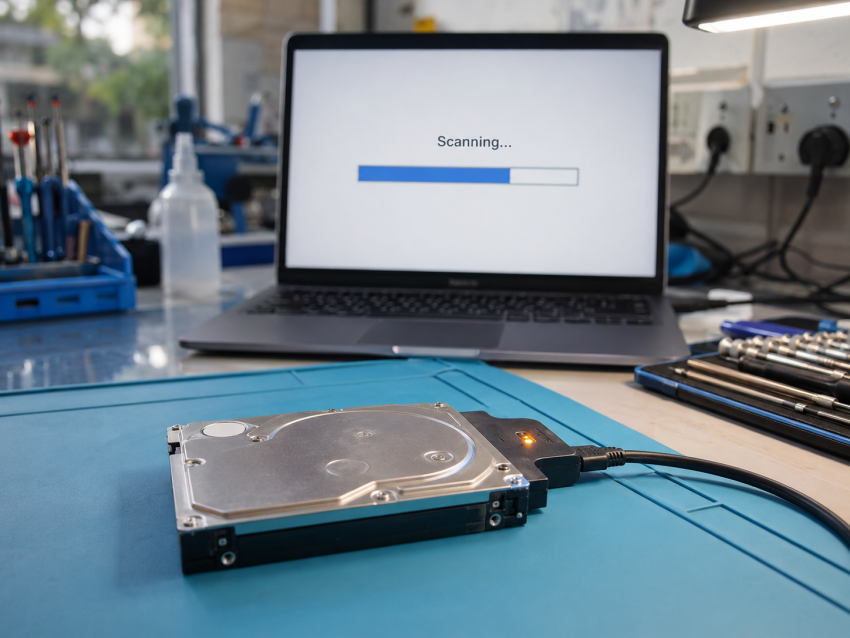
Short answer: free data recovery software is the right first move for one situation only — files you deleted or a drive you formatted by mistake, on a disk that is otherwise healthy and not the Windows drive. In every other case (clicking or grinding noise, drive not detected, SSD that suddenly vanished, RAID array showing degraded) running a scan is the single most common way Delhi customers turn a ₹2,000–₹6,000 recovery into a ₹15,000+ one, or into no recovery at all. Professional data recovery at CNC in West Patel Nagar starts at ₹2,000 with free diagnosis and No Data – No Charge.
The 60-second decision: software or a lab?
| What happened | Free software? | Why |
|---|---|---|
| Deleted files / emptied Recycle Bin, drive works normally | Yes — try it once | Data is still on the platters; software only needs to re-link it |
| Quick-formatted the wrong drive (not the Windows drive) | Yes — try it once | Quick format rewrites the index, not the data |
| Deleted files on the Windows C: drive | Risky | Windows keeps writing to C:; every minute of use overwrites the files you want |
| Drive shows in Windows but is very slow, freezes, or shows I/O errors | No | Weak sectors; a full scan hammers the heads and spreads the damage |
| Clicking, beeping, grinding, or not spinning | No — power it off | Mechanical failure; every power-on scrapes the platters. Cleanroom job |
| Drive not detected at all / shows 0 GB or wrong capacity | No | Firmware or PCB fault; software cannot see the drive, so it cannot help |
| SSD / NVMe disappeared or shows as read-only | No | Controller or NAND failure; TRIM can erase remaining data if you keep it running |
| RAID / NAS shows degraded or rebuild failed | No — don’t rebuild | A forced rebuild on a second failing disk destroys the array permanently |
| Ransomware-encrypted files | No | Recovery is from shadow copies / backups, not by scanning |
What free data recovery software actually does
Tools like Recuva, PhotoRec, Windows File Recovery and the free tiers of Disk Drill or EaseUS all do the same thing: they read the whole drive from start to finish and look for file signatures (the first bytes of a JPG, DOCX, MP4) or leftover index entries, then write what they find to another location.
Quick help from CNC — West Patel Nagar, Delhi
Lost important files? We can help.
CNC recovers data from HDDs, SSDs, RAID, NAS and pen drives. Free diagnosis. No Data — No Charge.
⭐ 4.9★ · 981 Google reviews · Since 1996 · GST invoice · Learn more →
That works only when three things are true: the drive can read every sector reliably, the data has not been overwritten, and you can save the results somewhere else. On a healthy drive after an accidental delete, all three usually hold and free software recovers 80–95% of files. When any one fails, the scan either finds nothing or makes the failure worse.
Three limits Delhi customers usually discover too late:
- Free tiers cap what you can save. Most show you the files and then charge ₹5,000–₹8,000 for a licence to restore more than 500 MB–2 GB. By that point you have already paid CNC’s logical-recovery price for a result with no guarantee.
- Scans are brutal on weak drives. A full-surface scan on a 1 TB HDD reads a trillion bytes. A drive with a few hundred bad sectors will typically develop thousands more during the scan.
- Recovered ≠ usable. Signature-based recovery loses file names and folder structure, and fragmented files (large videos, Outlook PST, Tally data folders) come back corrupted.
What a professional lab does differently
The difference is not “better software”. It is that a lab never scans the original drive.
- Free diagnosis first. CNC checks SMART data, head health, PCB and firmware, and tells you the failure type and a fixed quote before touching anything.
- Image, then recover. Weak drives are cloned sector-by-sector with hardware imagers (DeepSpar / PC-3000 class) that read around bad areas and time out gently, so the original is powered on once and briefly. Every scan afterwards runs on the clone.
- Mechanical and firmware repair when needed. Head-stack swaps, donor PCBs, firmware module repair and SSD controller work happen in a cleanroom — this is the part no software can replace.
- Verified handover. You get a file list to confirm before payment. If the data cannot be recovered, there is no charge beyond the free diagnosis.
Data recovery cost in Delhi — CNC price list (August 2026)
These are the same figures shown on our data recovery service page; the final quote depends on capacity, failure type and urgency.
| Recovery type | Price range | Turnaround |
|---|---|---|
| Logical recovery (deleted / formatted files) | ₹2,000 – ₹6,000 | 48–96 hours |
| Firmware / software corruption | ₹3,000 – ₹8,000 | 96–144 hours |
| Physically damaged HDD (clicking / dead) | ₹5,000 – ₹15,000+ | 6–14 working days |
| SSD / NVMe | ₹4,000 – ₹12,000 | 6–10 working days |
| RAID 5 / RAID 6 array | ₹8,000 – ₹25,000+ | 10–20 working days |
| NAS (Synology, QNAP) | ₹6,000 – ₹20,000 | 8–16 working days |
| USB pen drive / memory card | ₹1,500 – ₹5,000 | 48–96 hours |
Compare that with the paid tier of “free” software (₹5,000–₹8,000 for a licence, no guarantee, and no help if the drive is failing) and the maths is simple: for anything beyond a clean accidental delete, the lab is both cheaper and safer.
If you are going to try software anyway — do these five things
- Stop using the drive. If it is the Windows drive, shut down and connect it to another PC as a secondary disk.
- Install the software on a different drive, never on the one you are recovering.
- Run exactly one scan. If it stalls, slows to a crawl, or the drive makes any noise, stop and power off.
- Save recovered files to a third drive or USB, never back to the source.
- Check the recovered files open properly before deleting anything or reformatting.
If the one scan fails, do not try a second tool. Bring the drive to O-41 West Patel Nagar (near Shadipur Metro), or courier it from anywhere in Delhi NCR — the diagnosis is free either way.
Related guides from CNC
- Data recovery cost in Delhi 2026 — full breakdown
- Hard drive repair vs data recovery — which do you need?
- What is data recovery and how does it work?
- Recovering photos, videos and Tally data from HDD, SSD and RAID in Delhi
Frequently asked questions
Is free data recovery software safe to use on a failing hard drive?
No. A full scan reads every sector of the drive, and on a disk with weak heads or bad sectors that load typically spreads the damage. Labs avoid this by cloning the drive with hardware imagers first and scanning the clone. If a drive is slow, clicking, or throwing errors, power it off and get a free diagnosis instead.
Which is cheaper in Delhi — data recovery software or a professional service?
For a simple accidental delete on a healthy drive, free software is cheapest (₹0). For anything else, professional recovery at CNC starts at ₹2,000 for logical recovery and ₹5,000 for physically damaged drives, while the paid tier of most “free” tools costs ₹5,000–₹8,000 with no guarantee and no help if the drive is failing.
Can data recovery software recover files from a dead or undetected hard drive?
No. If Windows or Disk Management cannot see the drive, no software can either — the fault is in the drive’s firmware, PCB or mechanics, which needs lab equipment and often donor parts. This is the most common “clean-room” job at CNC, priced ₹5,000–₹15,000+ depending on capacity and damage.
Does data recovery software work on SSDs?
Rarely. SSDs use TRIM, which physically erases deleted blocks in the background, so deleted-file recovery on an SSD is usually impossible within hours. Controller or NAND failures need chip-level work. CNC recovers SSD and NVMe drives from ₹4,000 to ₹12,000 with a free diagnosis first.
What does “No Data – No Charge” mean at CNC?
Diagnosis is free and you receive a fixed quote before any recovery starts. You review a file list before paying. If CNC cannot recover the data you need, you pay nothing beyond the free diagnosis. Most logical recoveries complete in 48–96 hours; physical HDD recovery takes 6–14 working days.
📍 O-41 West Patel Nagar · Mon–Sat 10 AM–7 PM
Lost important files? We can help.
CNC recovers data from HDDs, SSDs, RAID, NAS and pen drives. Free diagnosis. No Data — No Charge.
⭐ 4.9★ · 981 Google reviews · Since 1996 · GST invoice · Learn more →
Prices and rates mentioned in this article are indicative estimates as of September 2026, exclusive of GST unless stated, and may change without notice due to exchange-rate movements, supply constraints and market demand. Please confirm current pricing and availability with CNC before making any decision.