
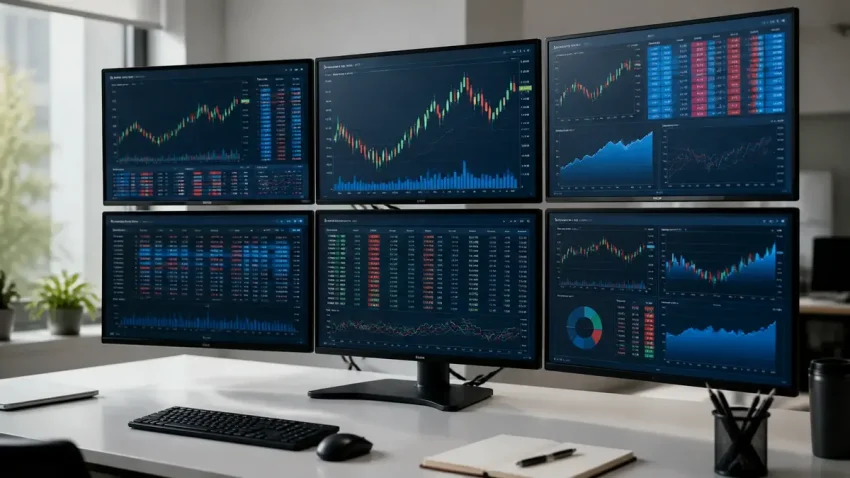
The monitors decide how a trading setup feels to use every day. A fast PC with the wrong screens gives you tired eyes, charts that are too small to read, and a desk that does not fit. This guide explains what to look for — size, resolution, panel type, refresh rate, mounting and cabling — based on the 2, 4 and 6-screen trading desks CNC builds in Delhi.
Quick answer: which monitor for a trading setup?
For most traders in India, 24-inch Full HD (1920×1080) IPS monitors with thin bezels and a VESA 100×100 mount are the best value for a 4 or 6-screen grid. For a 2 or 3-screen desk, 27-inch QHD (2560×1440) screens show more chart detail at a comfortable size. A refresh rate of 60–75 Hz is enough for charts and order windows; 144 Hz adds cost without helping trading.
Quick help from CNC — West Patel Nagar, Delhi
Planning a 2, 4 or 6 screen trading setup?
CNC builds and installs trading workstations in Delhi — complete 2-monitor setup from ₹35,000, 4-monitor workstation ₹60,000–₹1,50,000 (indicative). Tell us your screens and budget.
⭐ 4.9★ · 1,000+ Google reviews · Since 1996 · GST invoice · Trading PC and multi-monitor setups in Delhi →
Screen size and resolution by number of monitors
| Setup | Suggested size | Suggested resolution | Why |
|---|---|---|---|
| 2 screens | 27″ | QHD 2560×1440 | More chart detail per screen; easy to read at normal desk distance |
| 3 screens | 24″ or 27″ | FHD or QHD | 27″ QHD in the centre, 24″ on the sides works well on a deep desk |
| 4 screens (2×2) | 24″ | FHD 1920×1080 | A 2×2 grid of 27″ screens is too tall for most people to view without neck strain |
| 6 screens (3×2) | 24″ | FHD 1920×1080 | Keeps the full grid inside your field of view; one matched model across all six |
Use the same model for every screen in a grid. Different models have different colours, brightness and bezel widths, and the joins between screens look uneven.
Panel type: IPS, VA or TN?
- IPS — the safe choice. Colours and text stay the same when you look at the side or top screens at an angle, which matters in a 4 or 6-screen grid.
- VA — good contrast for a single main screen, but colours shift at an angle, so side screens can look washed out.
- TN — cheap, but poor viewing angles. Avoid it for multi-screen desks.
Choose a matte (anti-glare) finish. Glossy screens reflect office lights and windows, which is tiring over a full trading day.
Refresh rate and response time
Price charts, order books and terminals do not need gaming-level speed. 60–75 Hz is enough. Spend the money on a better panel, a better arm or an extra screen instead of 144 Hz. If the same PC is also used for video editing or games, a 144 Hz main screen is reasonable; the side screens can stay at 60–75 Hz.
Eye comfort for long sessions
- Flicker-free backlight and a low blue light mode reduce eye strain over 6–8 hours.
- Height-adjustable arms: the top edge of the centre screen should sit at or slightly below eye level.
- Distance: about an arm’s length from your eyes. A 27″ screen needs a deeper desk than a 24″ screen.
- Brightness: match the screen to the room; a screen much brighter than the room causes fatigue.
Mounting: arms, stands and the desk
Check that every monitor has a VESA 100×100 mount on the back. Without it you cannot use a monitor arm or a multi-screen stand. For 4 and 6-screen grids, a heavy-duty desk clamp or a free-standing multi-monitor stand keeps the screens aligned and frees the desk surface. Thin bezels (sometimes sold as “frameless” or “3-side borderless”) make the joins between screens narrower.
Graphics card outputs and cables
- One modern multi-output graphics card can drive up to 4 monitors; 6 or more screens usually need two cards.
- Match the ports: DisplayPort or HDMI on both the card and the monitor. Avoid chains of adapters — they are a common cause of flicker and screens that “drop out”.
- Keep cable runs short. HDMI over about 15 metres needs an HDMI-over-CAT6 extender.
- Put the PC and all monitors on a UPS or surge protector. A power cut in the middle of a trade is the problem you are paying to avoid.
What does a trading setup cost in Delhi?
At CNC, a complete 4-screen trading setup costs about ₹60,000–₹1,50,000 (indicative, ex-GST). The range depends mostly on the PC processor and graphics card, the monitor size and resolution, and the arm or stand. The price includes the PC, graphics card, monitors, arms, cabling, delivery and on-site setup. 2-screen and 6-screen desks are quoted on request. See the full configurations on the trading PC and multi-monitor setup page, and the wider build guide in Multi-Monitor Trading Setup Guide.
Frequently asked questions
What size monitor is best for a trading setup?
24-inch screens are best for 4 and 6-screen grids because the whole grid stays inside your field of view. 27-inch QHD screens suit 2 or 3-screen desks where each screen shows more detail.
Do I need a 144 Hz monitor for trading?
No. Charts and order windows work well at 60–75 Hz. A higher refresh rate helps gaming, not trading, so spend the money on panel quality or an extra screen.
Can I mix different monitor models in one setup?
You can, but colours, brightness and bezel widths will not match, and the grid looks uneven. Use one model for all screens in a grid.
How many monitors can one graphics card run?
Most modern multi-output graphics cards run up to 4 monitors. For 6 or more screens, a second card is usually needed.
What does a 4-screen trading setup cost in Delhi?
At CNC, a complete 4-screen trading setup costs about ₹60,000–₹1,50,000 (indicative, ex-GST), including PC, graphics card, monitors, arms, cabling and on-site setup.
📍 O-41 West Patel Nagar · Mon–Sat 10 AM–7 PM
Planning a 2, 4 or 6 screen trading setup?
CNC builds and installs trading workstations in Delhi — complete 2-monitor setup from ₹35,000, 4-monitor workstation ₹60,000–₹1,50,000 (indicative). Tell us your screens and budget.
⭐ 4.9★ · 1,000+ Google reviews · Since 1996 · GST invoice · Trading PC and multi-monitor setups in Delhi →
Prices and rates mentioned in this article are indicative estimates as of November 2026, exclusive of GST unless stated, and may change without notice due to exchange-rate movements, supply constraints and market demand. Please confirm current pricing and availability with CNC before making any decision.