
Published by Classic Network and Computers (CNC) — IT services company at O-41, West Patel Nagar, New Delhi 110008, serving Delhi NCR since 1996. Computer repair, data recovery, networking, AMC, CCTV & more. ☎ +91-9810130131
Somewhere in Delhi right now, a shopkeeper in Karol Bagh is watching his store from a beach in Goa. A factory owner in Okhla is getting a WhatsApp alert because a stranger just walked past his warehouse gate at 2 AM. A society in Dwarka knows exactly who entered through the main gate yesterday at 6:47 PM — down to the second. None of this is science fiction. It’s just CCTV, done right.
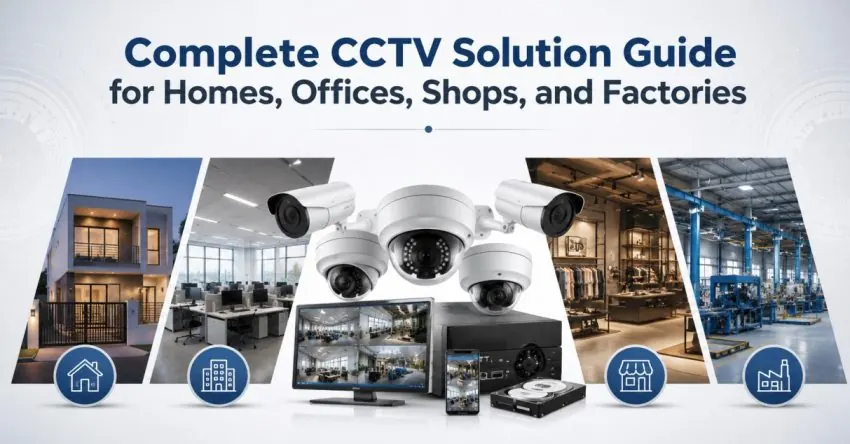
The problem is that “CCTV” means wildly different things to different people. To some, it’s a single ₹2,000 camera pointed at a front door. To others, it’s a 400-camera network spanning an entire industrial township, integrated with fire alarms, number-plate readers, and facial recognition. Modern video surveillance systems cover both ends of that spectrum and everything in between — and this guide walks through exactly what’s involved, so you know exactly what to ask for when you’re ready to secure your home, shop, office, or factory.
Quick help from CNC — West Patel Nagar, Delhi
Need laptop repair or data recovery help?
CNC is at West Patel Nagar, Delhi — same-day service, free diagnosis, No Fix No Charge.
⭐ 4.9★ · 1,001 Google reviews · Since 1996 · GST invoice · Learn more →
Analogue vs IP Cameras: Which One Actually Fits Your Property?
Every CCTV camera systems conversation starts with this fork in the road, and most people are never properly walked through it before signing a quote.
Analogue (HD-CVI/TVI/AHD) cameras send video over coaxial cable to a DVR. They’re cheaper per camera, simpler to wire in buildings that already have coax run, and perfectly adequate for a 4–16 camera home or small shop setup where budget matters more than advanced features.
IP cameras send video over a network (Ethernet or PoE) to an NVR, and this is where modern surveillance system installation really opens up. IP systems support higher resolutions, built-in AI processing, remote access that’s faster and more reliable, and — critically — they scale. An analogue system fighting to manage 16 cameras starts straining; an IP system humming along with 200 cameras is just a normal Tuesday for the right infrastructure.
Neither is universally “better.” A 6-camera home doesn’t need enterprise IP infrastructure. A 150-camera factory absolutely does. Part of what a proper site survey does is figure out which one (or which mix — many of our projects run both) actually fits your building, your budget, and your future plans.
From a Living Room to a Logistics Park: CCTV That Scales
This is the question we get asked constantly, usually with a slightly apologetic tone: “Is our setup too small/too big for you to handle?” The honest answer is no, on both ends.
On the small end, our most common job is a straightforward 4–8 camera CCTV installation services request — a home, a single shop, a small clinic. Quick site visit, a few days’ wiring, configuration, and a mobile app walkthrough, and you’re watching your property from your phone within a week.
On the large end, we’ve run full security camera installation projects covering 100, 200, and 400+ cameras across multi-building campuses, industrial parks, and residential townships. At that scale, the project stops being “buy cameras, plug them in” and becomes genuine systems engineering — network design, server-grade storage calculations (400 cameras recording in 4K for 30 days is a serious storage number), redundant power, and a control room layout that lets a handful of security staff actually monitor hundreds of feeds without going cross-eyed.
Whatever size you’re at, the process underneath is the same. It’s the planning that changes shape.
How a CNC CCTV Project Actually Runs, Start to Finish
We treat every job — whether it’s 4 cameras or 400 — as a turnkey project, which just means you make one phone call and we handle everything after that.
1. Free site survey. Before any quote, before any commitment, someone from CNC walks your property. We look at sight lines, blind spots, where the DVR/NVR room should sit, existing wiring (if any), and what you actually need this system to do — deter theft, monitor staff, watch a gate, or all three.
2. Planning and design. Camera placement isn’t guesswork. We map out coverage so you’re not paying for eight cameras that all watch the same hallway while your back gate sits blind.
3. Transparent quote. You get a clear breakdown — cameras, cabling, DVR/NVR, storage, labour — with no surprise line items after the fact.
4. Wiring and installation. This is where most of the actual labour happens, and it’s also where shortcuts hurt you most. Properly routed, weatherproofed cabling is the difference between a system that runs trouble-free for years and one you’re calling someone about every monsoon.
5. Setup, configuration, and software. Every camera gets configured, recording schedules set, motion zones tuned to avoid false alerts (nobody wants 200 notifications because a tree branch moved), and the live-monitoring software — on a control-room screen, a desktop, and your phone — set up and tested before we leave.
That’s the whole arc: one call in, a fully working, fully explained system out.
Beyond Recording: What AI-Powered CCTV Can Actually Do
The biggest shift in CCTV over the last few years isn’t the cameras — it’s what the footage can do on its own, without a human watching a screen 24/7. CNC builds several of these AI capabilities directly into new installations:
Automatic number plate recognition (ANPR). Gates that log every vehicle in and out automatically — useful for societies tracking visitor vehicles, factories logging delivery trucks, or parking lots that need a record without a guard manually noting plates.
Person counting. Retail stores and offices use this to understand footfall patterns — how many people walked in, peak hours, and (for retail specifically) conversion rate when paired with sales data.
Automatic attendance via facial recognition. Staff walk in, the camera recognises them, attendance is logged. No biometric thumb scanner queue at 9 AM, no buddy-punching.
CCTV doubling as a fire alarm. Modern AI cameras can detect smoke and flame visually and trigger an alert before a conventional heat/smoke sensor would, particularly valuable in large open warehouse spaces where a traditional sensor might be too far from the actual fire to react quickly.
Face recognition for access and security. Beyond attendance, the same technology flags unrecognised faces at entry points, or matches against a watchlist for sites with specific security concerns.
None of these are gimmicks bolted onto a brochure — they’re genuinely useful, and increasingly, the cost difference between a “dumb” camera and an AI-capable one has narrowed enough that it’s worth asking about during your site survey even if you didn’t think you needed it.
It’s Not Just Cameras: The Rest of the Security Picture
CCTV rarely lives alone. Most of our clients end up asking about at least one of these in the same conversation:
Access control systems — card readers, keypads, and app-based entry that decide who can open which door, and log every attempt, successful or not.
Biometric access control — fingerprint and facial recognition readers for doors and gates where a swipe card alone isn’t tight enough, common in server rooms, cash offices, and restricted manufacturing areas.
Biometric attendance systems — the workplace staple, now often merged into the same facial-recognition camera doing your CCTV monitoring, so you’re not paying for two separate devices doing overlapping jobs.
Video door phones (VDP) — see and speak to whoever’s at the door before opening it, standard now in apartments and increasingly in standalone homes and offices.
Smart and electronic door locks — keypad, app-controlled, or biometric locks that remove the lost-key problem entirely and, in offices, let you revoke a departed employee’s access in seconds rather than re-keying a lock.
Bundling these into one office security systems project — rather than hiring separate vendors for cameras, access control, and door phones — usually costs less and definitely means less finger-pointing when something needs servicing later.
After Installation: CCTV AMC, With or Without Parts
A CCTV system that isn’t maintained quietly degrades — a camera lens fogs up, a hard drive starts dropping frames, a cable gets nicked during some unrelated repair work, and nobody notices until the one day footage is actually needed and it isn’t there.
CNC offers CCTV AMC (Annual Maintenance Contracts) in two forms. Without parts covers scheduled checks, cleaning, software updates, and labour for any fault — you only pay separately if something physically needs replacing. With parts rolls everything in, including replacement cameras, cables, or storage drives, for one predictable annual cost. Most businesses that have already been burned by a “we’ll call someone when it breaks” approach end up on the with-parts plan, simply because surprise camera-replacement costs are exactly the kind of expense that’s easier to plan for once a year than absorb mid-project.
Why Delhi Businesses Call CNC First
CNC has been solving Delhi’s IT and security problems since 1996 — long enough to have outlasted three generations of CCTV technology already. We’re rated 4.9★ across 960+ Google reviews, and our CCTV installation and security camera installation work spans homes, retail stores, schools, factories, warehouses, and residential societies across West Patel Nagar, Rajouri Garden, Karol Bagh, Connaught Place, Rohini, Dwarka, Janakpuri, and right across Delhi NCR including Noida, Gurgaon, Faridabad, and Ghaziabad.
We work with established brands — CP Plus, Hikvision, Dahua — not because we’re locked into one supplier, but because matching the right brand and camera spec to your specific site is part of the job, not an afterthought.
Ready for a Free Site Survey?
Whether you need a 4-camera setup for a new shop or you’re planning a 400-camera rollout across a logistics campus, the first step is the same free, no-obligation site survey. We’ll walk the property, understand what you actually need watched, and hand you a clear, honest quote — no pressure, no jargon.
Call CNC at +91-9810130131, WhatsApp us, or visit our office at O-41, West Patel Nagar, New Delhi to get started.
Frequently Asked Questions
CNC Delhi — CCTV Installation
Free CCTV site survey for your Delhi premises
CP Plus, Hikvision, Dahua CCTV supply and installation. 4-camera HD system from ₹15,000 installed. Remote monitoring on phone. AMC available. Free site survey — no obligation. All Delhi NCR areas.
Related Services at CNC
You May Also Like
📍 O-41 West Patel Nagar · Mon–Sat 10 AM–7 PM
Need laptop repair or data recovery help?
CNC is at West Patel Nagar, Delhi — same-day service, free diagnosis, No Fix No Charge.
⭐ 4.9★ · 1,001 Google reviews · Since 1996 · GST invoice · Learn more →
Planning CCTV installation in Delhi NCR?
Classic Network and Computers (CNC) installs CCTV and IP camera systems for offices, homes, and businesses across Delhi NCR. CNC is an authorized CP Plus partner and supplies and installs Hikvision and Dahua systems — DVR/NVR setup, remote mobile viewing, and structured cabling included. Free site survey with a fixed written quote before any work begins.
Prices and rates mentioned in this article are indicative estimates as of June 2026, exclusive of GST unless stated, and may change without notice due to exchange-rate movements, supply constraints and market demand. Please confirm current pricing and availability with CNC before making any decision.