
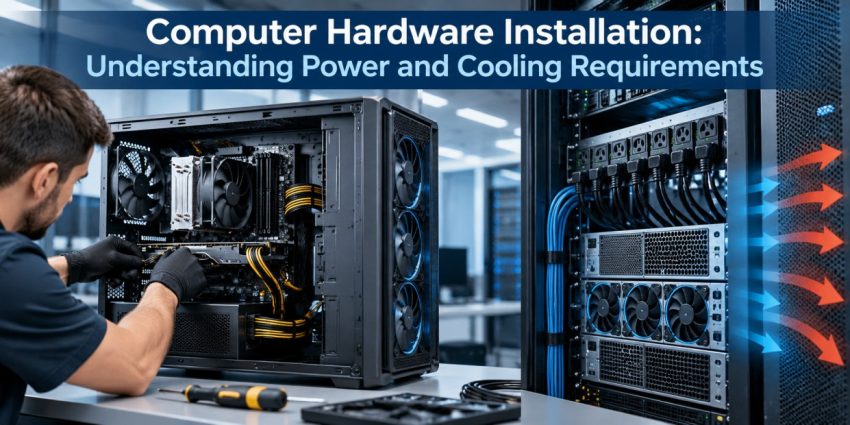
The installation of new hardware on a computer enhances the performance, storage capacity, and functionality of the machine. Nonetheless, hardware installation goes beyond mere connection of the components. Issues such as power needs, airflow and cooling must be taken into consideration before and during the process of computer hardware installation. Otherwise, the computer becomes prone to instabilities, overheating and even hardware damage.
Learning about the relationship between power and cooling is essential for effective system building or upgrades.
Quick help from CNC — West Patel Nagar, Delhi
Need laptop repair or data recovery help?
CNC is at West Patel Nagar, Delhi — same-day service, free diagnosis, No Fix No Charge.
⭐ 4.9★ · 1,000+ Google reviews · Since 1996 · GST invoice · Learn more →
Check Power Supply Needs
Every computer hardware installation requires a certain level of power supply. The CPU, graphic card, hard drive, and all other computer components obtain their power from the power supply unit of the computer. Therefore, before adding a new component to the computer, it is important to check whether the present power supply is sufficient for this purpose.
Inadequate power supply may cause sudden shutdowns, instabilities and difficulties in booting the computer. The connectors of the system must be also checked.
Take into Account the Power Needs of the Upgrade
Computer hardware installation can cause changes in the power needs of the computer. For instance, adding a better graphics card may consume much more power than the one that you are replacing.
The total system must therefore be considered rather than just the power needs of the new upgrade. Other factors like the processor, graphics card, storage media, cooling parts and other hardware installed play an integral part in the total power usage.
Plan for Adequate Airflow
The electronics produce heat when operating. Heat may build up in the computer case when there is no ventilation.
Users need to consider the location of the fans in addition to the flow of air through the case during computer hardware installation. It is normally recommended that cool air enter the computer case while warm air leaves the computer case.
Select the Correct Cooling
Various components need to be cooled differently. For example, a standard office PC will work fine with standard cooling, whereas a powerful PC may need extra fans or enhanced CPU cooling.
While installing new hardware, people should find out whether the current cooling system will be adequate for the new hardware configuration. Available physical space within the case should also be considered since some coolers or graphics cards may take up much space.
Prevent Dust Accumulation
It is possible that dust may gather near the fans, heat sinks and air filters, thus limiting the airflow and reducing the effectiveness of the cooling system. Keeping things clean may ensure that the airflow remains steady.
But while cleaning, one needs to be very cautious and use only appropriate methods. Computer components should be treated with care, and the device should be shut down before performing any work on it.
Test for Compatibility
The questions of power and cooling should also be addressed before installation of components. A component may fit in the computer physically but require other power source or cooling system.
Checking the motherboard, computer dimensions, the capacity of the power supply and the cooling system before installation
Conclusion
Factors such as power and cooling are very crucial to the computer hardware installation process. With an adequate power supply, hardware devices get sufficient power from the source, while cooling enables control of the operating temperatures. At the time of computer hardware installation to a PC, it is important to consider all these factors.
Frequently Asked Questions
Also Read: Data Recovery Software: Deep Scanning To Locate Lost Files
📍 O-41 West Patel Nagar · Mon–Sat 10 AM–7 PM
Need laptop repair or data recovery help?
CNC is at West Patel Nagar, Delhi — same-day service, free diagnosis, No Fix No Charge.
⭐ 4.9★ · 1,000+ Google reviews · Since 1996 · GST invoice · Learn more →
Prices and rates mentioned in this article are indicative estimates as of October 2026, exclusive of GST unless stated, and may change without notice due to exchange-rate movements, supply constraints and market demand. Please confirm current pricing and availability with CNC before making any decision.