
Quick help from CNC — West Patel Nagar, Delhi
Need laptop repair or data recovery help?
CNC is at West Patel Nagar, Delhi — same-day service, free diagnosis, No Fix No Charge.
⭐ 4.9★ · 1,000+ Google reviews · Since 1996 · GST invoice · Learn more →
Graphics card faults at a glance
| What you see | Usual cause | What is done |
|---|---|---|
| Coloured lines, dots or blocks (artefacts) | Overheating, failing video memory (VRAM) or cracked solder joints under the GPU chip | Thermal service first; if artefacts remain, memory or BGA rework |
| Fans spin but no display | Power stage fault (MOSFET, capacitor, controller), corrupted card BIOS, or GPU fault | Power-stage component replacement or BIOS reprogramming |
| Crashes or driver errors only in games | Dried thermal paste and pads, clogged heatsink, or a weak power supply | Clean, repaste, new thermal pads; power supply tested |
| Loud grinding fan or fan stopped | Worn fan bearing | Fan replacement |
| Card not detected at all | Damaged PCIe connector, power connector, slot problem or dead card | Inspection, connector repair where possible |
Is it really the graphics card? Five checks first
A good share of “dead graphics card” complaints turn out to be something else. These checks cost nothing:- Change the cable and port. Try a different HDMI or DisplayPort cable, and a different output on the card.
- Use the motherboard output. If your processor has built-in graphics, connect the monitor to the motherboard port with the card removed. If the picture is fine, the problem is in the card or its power.
- Do a clean driver install. Remove the old driver completely and install the current one from NVIDIA, AMD or Intel. Corrupt drivers cause black screens and crashes that look like hardware faults.
- Check the power supply. Make sure each power socket on the card has its own cable from the PSU, not one cable split in two. An under-rated or ageing PSU causes restarts under load.
- Watch the temperature. A free tool such as GPU-Z or HWMonitor shows GPU temperature during a game. If it climbs fast and the crash follows, the cause is cooling, which is the cheapest fix.
What actually fails on a graphics card
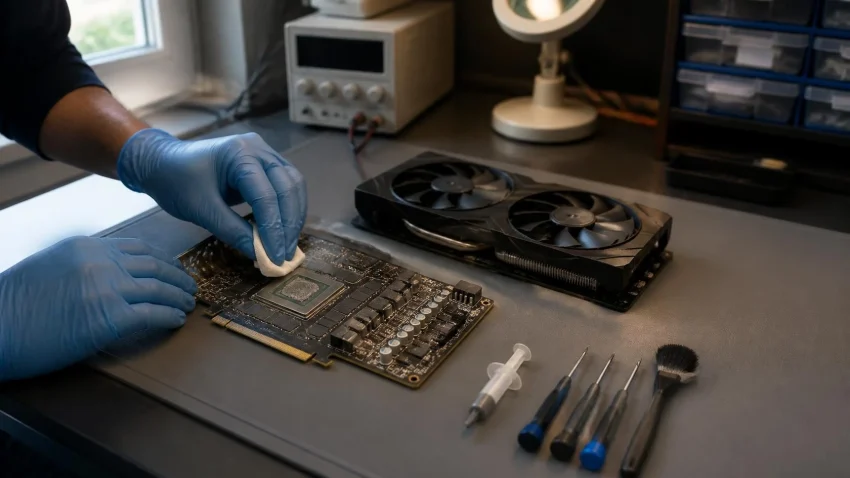
Thermal paste and thermal pads
The paste on the GPU chip dries out over a few years, and the pads that cool the memory and power stage harden. Temperatures rise, the card slows itself down, and eventually it crashes. Replacing paste and pads is the most common graphics card job and usually restores normal temperatures.Fans
Fan bearings wear, especially in dusty rooms. A noisy or stopped fan is replaced; running a card with a dead fan is what turns a cheap fix into a dead GPU.Power stage
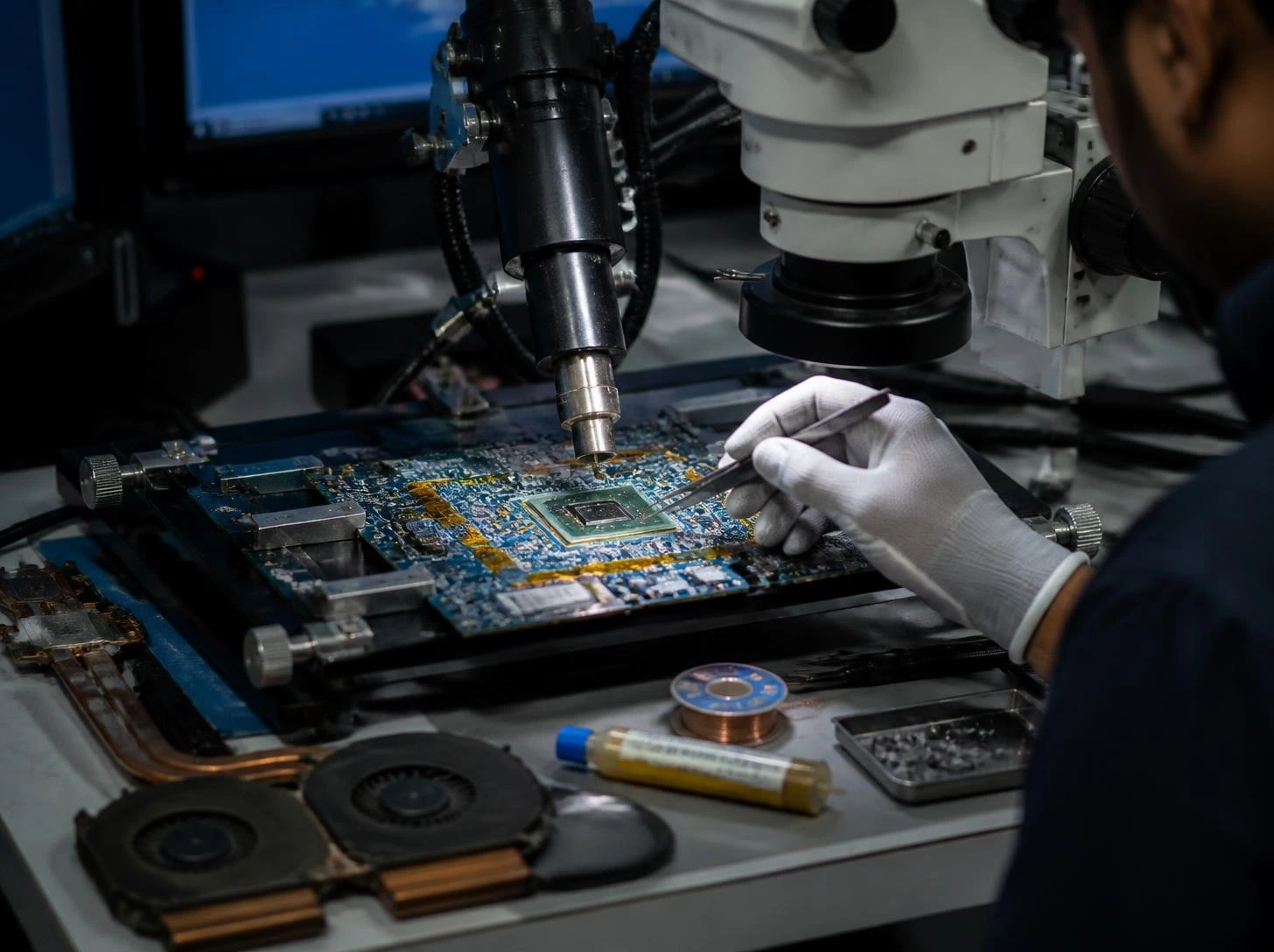
The MOSFETs, capacitors and controller that feed the GPU take the most stress. A shorted component here stops the card from starting. Finding it needs a bench power supply and a thermal camera, and replacing it is chip-level soldering — the same work CNC does on laptop motherboards.Video memory and GPU solder joints
Years of heating and cooling can crack the tiny solder balls under the GPU or a memory chip. Symptoms are artefacts and crashes that get worse as the card warms up. A reflow (reheating the joints) is a temporary fix; a reball (replacing the solder balls) or replacing the faulty memory chip is the proper repair, where parts are available.Card BIOS
A failed BIOS update or a modified BIOS can leave the card powered but showing nothing. Reprogramming the BIOS chip with the correct file often brings it back.Gaming laptops: the GPU is part of the motherboard
In ASUS ROG and TUF, Lenovo Legion, HP OMEN and Victus, Acer Nitro and Predator, MSI and Dell G-series laptops, the graphics chip is soldered to the motherboard. You cannot swap it like a desktop card, so the fault is repaired on the board itself. The usual pattern is a laptop that worked fine for two or three years of gaming and then starts showing artefacts or no display. Prevention is cheaper than repair here. A thermal service every 12–18 months keeps a gaming laptop’s GPU in its safe range. For GPU faults, reflow and reball on laptop boards are covered in the laptop motherboard repair cost guide.Repair or replace the graphics card?
- Cooling, fan or BIOS fault — repair. These are the cheapest jobs and the card usually returns to normal.
- Power stage fault on a card you would otherwise keep — usually worth repairing; ask for the quote first.
- GPU chip or memory failure on an old or entry-level card — compare the quote with the price of a replacement card. If the repair is close to the cost of a replacement, replace.
- Card physically cracked or burnt around the GPU — replace.
Buying a used graphics card? Check these first
- Run a 20–30 minute stress test and watch temperature and fan speed.
- Look for artefacts during the test, not just at the desktop.
- Check that the fans are quiet and that the heatsink screws have not been tampered with.
- Ask for a bill. A card with no paperwork has no warranty and may have run non-stop for years.
Diagnosis first, always free
CNC tests the card on a bench system, checks temperatures, the power stage and the memory, and tells you what failed, what the repair costs and whether it is worth doing. If you decide not to go ahead, there is no charge. Every repair carries a 90-day warranty.Graphics card repair in Delhi — where to go
CNC’s repair bench is at O-41, West Patel Nagar, New Delhi 110008, 3 minutes’ walk from Shadipur Metro (Blue Line, Gate No. 4). Open Monday to Saturday, 10 AM to 7 PM. Free pickup and drop within 10 km. For trading and design PCs that drive several monitors, see multi-display systems. Desktop and gaming laptop GPU repair: cnc-system.com/laptop-repair-in-delhi · Call +91-9810130131 · WhatsAppFrequently asked questions
How much does graphics card repair cost in Delhi?
At CNC, a gaming laptop GPU reflow or reball costs ₹2,500–₹6,000 and a laptop thermal service ₹699–₹1,499. Desktop graphics card repair is quoted after a free diagnosis because it depends on the card and the failed part. There is no charge if you decide not to repair.Can a graphics card with artefacts be repaired?
Often, yes. If the artefacts come from overheating, a thermal service fixes them. If a memory chip or the GPU’s solder joints have failed, a reball or memory replacement can work where parts are available. Diagnosis tells you which case you have before you spend anything.Is GPU reflow a permanent fix?
No. A reflow reheats cracked solder joints and often works for a while, but the fault tends to return. A reball replaces the solder balls and is the proper repair. CNC tells you which one is being quoted.How long does graphics card repair take?
A thermal service on a laptop is usually done the same day. A laptop GPU reflow or reball takes 3–5 days. For desktop cards, the time depends on the fault and part availability, and you are told at diagnosis.Do you repair gaming laptops like ASUS ROG, Lenovo Legion and HP OMEN?
Yes. CNC repairs gaming laptops from all major brands, including GPU faults, overheating, fans and charging problems, with free diagnosis and a 90-day warranty on the repair.📍 O-41 West Patel Nagar · Mon–Sat 10 AM–7 PM
Need laptop repair or data recovery help?
CNC is at West Patel Nagar, Delhi — same-day service, free diagnosis, No Fix No Charge.
⭐ 4.9★ · 1,000+ Google reviews · Since 1996 · GST invoice · Learn more →
Prices and rates mentioned in this article are indicative estimates as of October 2026, exclusive of GST unless stated, and may change without notice due to exchange-rate movements, supply constraints and market demand. Please confirm current pricing and availability with CNC before making any decision.