
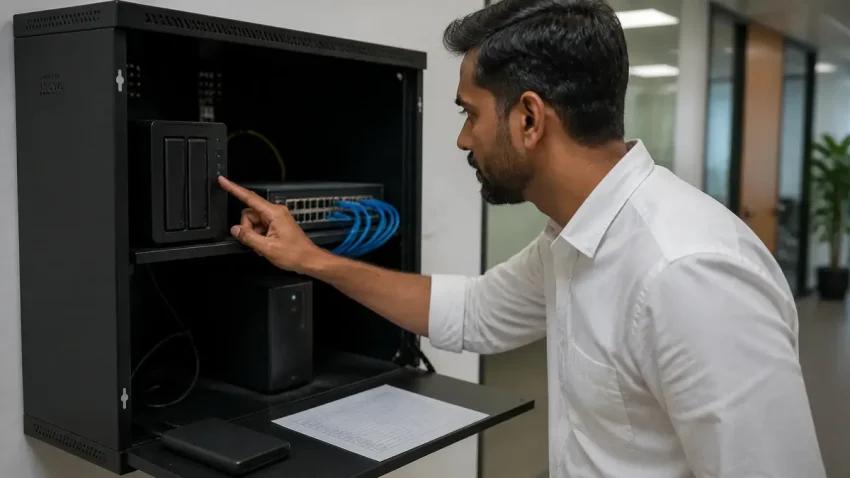
Most small offices in Delhi do have some kind of backup — a pen drive in a drawer, an external hard disk someone copies Tally to on Fridays, or files synced to the cloud. Most of those backups have never been tested, and many would fail on the day they are needed: the pen drive is three months old, the external disk was plugged in when ransomware hit, or the sync quietly copied the deleted files too. This guide explains a simple backup plan that works for a small or mid-size office, using the 3-2-1 rule and a NAS with scheduled backup.
What an office should back up
- Accounts data — Tally company data and GST files
- Shared folders — client files, drawings, contracts, HR records
- Individual PCs — Desktop and Documents folders of key staff, especially accounts and management
- Email — mailboxes of people who leave, and anything you are required to keep
- Server configuration — if you run a server, its settings as well as its data
The 3-2-1 rule in plain words
3 copies of important data — the working copy plus two backups. 2 different kinds of storage — for example a NAS and an external disk or cloud storage — so one failure does not take out both. 1 copy kept away — off-site, or disconnected from the network, so that a fire, theft or ransomware attack in the office cannot reach it.
Quick help from CNC — West Patel Nagar, Delhi
Lost important files? We can help.
CNC recovers data from HDDs, SSDs, RAID, NAS and pen drives. Free diagnosis. No Data — No Charge.
⭐ 4.9★ · 1,000+ Google reviews · Since 1996 · GST invoice · Data recovery lab in Delhi — prices and process →
NAS, external disk or cloud?
| Option | Good for | Watch out for |
|---|---|---|
| NAS (network storage box) with scheduled backup | Automatic daily backups of every PC and shared folder in the office; fast restores | It sits in the office, so it needs a second copy elsewhere |
| External hard disk | A cheap off-site or offline copy, taken home or locked away | Only works if someone remembers; must be disconnected after each backup |
| Cloud storage or sync | Off-site copy without carrying disks | Sync is not backup — a deleted or encrypted file is synced too; restore of large data is slow |
For most offices of 5 to 50 people, a NAS doing the daily work, plus one copy kept off-site or offline, covers the 3-2-1 rule without depending on anyone’s memory.
How a NAS with scheduled backup works
- A NAS is placed in the office network, usually on a UPS.
- Backup jobs are scheduled — for example every evening after office hours — for each PC, the shared folders and the Tally data folder.
- The NAS keeps several versions, so you can restore a file as it was yesterday, last week or last month.
- A second job copies the most important data to an external disk or another location for the off-site copy.
- Someone checks the backup reports, and a restore is tested regularly.
Two disks in a NAS mirroring each other (RAID 1) protect against one disk failing. RAID is not a backup by itself: a deleted or encrypted file is deleted or encrypted on both disks at once.
Ransomware: keep one copy out of reach
Ransomware encrypts every drive it can reach from an infected PC, including mapped network folders and plugged-in external disks. That is why the “1 copy away” part of the rule matters. Keep the off-site disk disconnected except during the backup, and give backup jobs their own account, not the everyday user’s login. Our network security guide covers the rest of the protection.
Test a restore
A backup that has never been restored is a hope, not a backup. Once a month, pick a random file or folder and restore it to a different location. Once a quarter, restore a full Tally company and open it. Write down the date and the result. If a restore fails, you have found the problem on a quiet day instead of a bad one.
Tally backups
Tally data changes every day and is the hardest to rebuild. Include the Tally data folder in the NAS schedule, and keep Tally’s own backup files as well. If you are considering Tally on Cloud, read Tally on Cloud vs Tally On-Premise — it changes where the backups live.
How CNC helps
CNC sets up NAS storage with scheduled backup for offices in Delhi NCR: we size the NAS for your data, set up the backup jobs for each PC, the shared folders and Tally, keep several versions of each file, and show your staff how to restore one. We start with a free site assessment and give a written quote.
If data is already lost, our data recovery lab in West Patel Nagar works on a “no data recovered, no fee” basis, with a free evaluation.
Frequently asked questions
What is the 3-2-1 backup rule?
Keep 3 copies of important data, on 2 different kinds of storage, with 1 copy kept off-site or offline. It protects against disk failure, theft, fire and ransomware.
Is cloud sync a backup?
Not on its own. Sync copies changes, including deleted or encrypted files. A backup keeps older versions you can go back to.
Is a NAS with RAID a backup?
RAID protects against a disk failing, not against deletion or ransomware. A NAS becomes a backup when it runs scheduled backup jobs with versions, and is paired with an off-site or offline copy.
Does CNC set up office backup in Delhi?
Yes. CNC sets up NAS storage with scheduled backup for offices in Delhi NCR, after a free site assessment and a written quote.
How often should we test our backup?
Restore a random file once a month and a full Tally company once a quarter, and write down the result.
📍 O-41 West Patel Nagar · Mon–Sat 10 AM–7 PM
Lost important files? We can help.
CNC recovers data from HDDs, SSDs, RAID, NAS and pen drives. Free diagnosis. No Data — No Charge.
⭐ 4.9★ · 1,000+ Google reviews · Since 1996 · GST invoice · Data recovery lab in Delhi — prices and process →
Prices and rates mentioned in this article are indicative estimates as of November 2026, exclusive of GST unless stated, and may change without notice due to exchange-rate movements, supply constraints and market demand. Please confirm current pricing and availability with CNC before making any decision.