
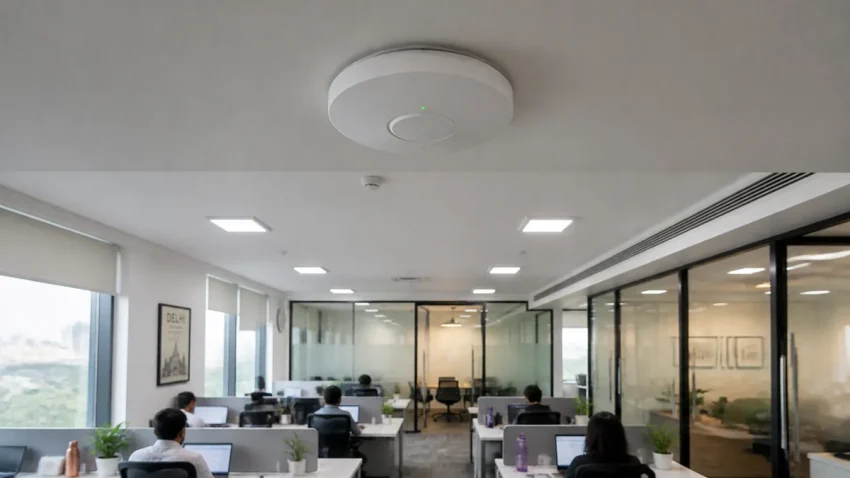
Most office Wi-Fi complaints sound the same: fine near the reception, weak in the cabins, and calls dropping in the conference room. Buying a bigger router or adding range extenders rarely fixes this for long. This guide explains why office Wi-Fi fails, how extenders, mesh and business access points differ, and how to work out what your office actually needs.
Short answer: an office with brick walls or more than about 20 people working at once usually needs several business access points (APs), each wired back to a switch with a Cat6 cable, all sharing one network name. A single router in one corner, or a chain of extenders, cannot cover that load. CNC does a free site survey for office networks in Delhi NCR and gives a written, itemised quote.
Quick help from CNC — West Patel Nagar, Delhi
Need cyber security or IT support?
CNC provides VAPT, firewall setup, DPDP compliance and managed security for Delhi businesses.
⭐ 4.9★ · 1,000+ Google reviews · Since 1996 · GST invoice · Learn more →
Why office Wi-Fi is weak in some rooms
- One router in a corner. The internet provider’s router is usually placed where the line enters — often the reception or a store room, far from where people sit.
- Walls and glass. Brick, concrete, lift shafts and metal-framed glass partitions cut the signal sharply, especially on the faster 5 GHz band.
- Too many devices on one radio. Each person now brings a laptop and a phone, plus printers, TVs and cameras. A home-grade router is built for a family, not 30–60 devices.
- Crowded 2.4 GHz band. In Delhi commercial buildings, every neighbouring office runs its own Wi-Fi on the same few channels.
- Extender chains. Each wireless extender adds delay and shares airtime with the link it repeats, so devices behind it get noticeably slower speeds.
Five checks before you spend money
- Test the internet line itself. Run a speed test on a laptop connected by cable to the router. If that is slow, the problem is the internet plan or the provider, not the Wi-Fi.
- Test near and far. Run the same test on Wi-Fi next to the router and in the weakest room. A big drop between the two is a coverage problem.
- Count devices. The router’s admin page lists connected devices. Many offices find 50+ devices on a router meant for 15–20.
- Check the router’s age. Laptops bought in the last few years support Wi-Fi 6. An old Wi-Fi 4 or Wi-Fi 5 router holds them back.
- Restart and note the result. If Wi-Fi improves after a restart and slows again in a day or two, the router is overloaded.
Extender, mesh or business access points?
| Range extender | Mesh Wi-Fi kit | Business access points | |
|---|---|---|---|
| How it connects | Repeats the router’s signal over the air | Units talk to each other over the air (some allow a cable) | Each AP has its own Cat6 cable to a switch |
| Speed in far rooms | Low — shares airtime with the link it repeats | Better, but still drops at each wireless hop | Full speed at every AP |
| Devices it handles well | A few | Home or very small office | Dozens per AP, more with more APs |
| Roaming between rooms | Often a separate network name; calls drop | Usually smooth | Smooth, one network name, managed centrally |
| Guest network kept separate | Basic or none | Basic | Yes — separate VLAN for guests |
| Good fit | One dead corner at home | Homes, 1–5 person offices | Offices with cabins, brick walls or 15+ users |
Business AP systems such as TP-Link Omada, Ubiquiti UniFi and Cisco Meraki are managed from one controller. The engineer can see every AP, the devices on it, and which ones are struggling, and change settings for the whole office in one place.
How many access points does an office need?
There is no fixed square-foot rule, because walls and the number of people matter more than floor area. As a rough starting point:
- One AP for each area separated by a brick or concrete wall (an open hall, a row of cabins, a conference room).
- One AP for about every 25–30 people using the network at the same time.
- An extra AP for any room where people take video calls or meetings all day.
A site survey gives the real number. The engineer walks the office, checks walls, ceilings and where cables can run, and marks AP positions on a floor plan.
What the installation involves
- Cabling: a Cat6 cable from each AP back to the network rack. A single cable run can be up to 100 metres — that limit applies to Cat6A as well.
- PoE switch: a Power-over-Ethernet switch powers the APs through the same cable, so no power socket is needed on the ceiling.
- One network name: staff devices move between APs without reconnecting.
- Separate networks: staff, guests and CCTV on separate VLANs, so a visitor’s phone cannot see your accounts PC or your cameras.
- Documentation: labelled cables, a port map and the passwords handed over to you.
If the office is new or the cabling is old, it is worth planning the whole network together — see the office network setup checklist and structured cabling cost guide.
What it costs in Delhi NCR
Indicative prices from CNC’s office network setup page. Every site differs, so the final figure comes from a written quote after the survey.
| Item | Indicative price |
|---|---|
| Site survey for new Wi-Fi or cabling work | Free |
| Business Wi-Fi access point (supply, mounting and setup) | from ₹6,500 per AP |
| Cat6 cable point (cable, I/O box, patch cord, termination) | ₹800–₹1,500 per point |
| 24-port managed switch (supply and configuration) | from ₹12,000 |
| Network audit of an existing office (mapping, testing, written plan) | from ₹3,500 |
Prices are indicative and exclude GST. A written quote is given before work begins.
Once installed, the APs and switches can be added to an IT AMC together with your computers, so one team looks after the whole office.
Getting a site survey
CNC sets up office networks across Delhi NCR, including Noida, Gurgaon, Faridabad and Ghaziabad. An engineer visits, checks coverage, cabling, switches and the rack, and you get an itemised written quote. There is no charge and no obligation.
Call +91-9810130131 or WhatsApp your office location and number of users.
Frequently asked questions
Why is our office Wi-Fi slow in some rooms but fine near the router?
Walls, glass partitions and distance weaken the signal, and a single router has to share its airtime with every device in the office. Rooms far from the router get a weak signal and the slowest speeds. Placing wired access points closer to where people sit fixes this.
Are Wi-Fi range extenders good for an office?
They are a short-term fix for one weak corner. Because an extender repeats the signal over the air, devices connected to it get lower speeds, and calls often drop when moving between rooms. Offices with cabins or more than about 15 users are better served by wired business access points.
How many Wi-Fi access points does my office need?
As a rough guide, one access point for each area separated by a brick or concrete wall, and one for about every 25–30 people using the network at the same time. A site survey gives the exact number and positions.
How much does a business Wi-Fi access point cost in Delhi?
At CNC, a business-grade access point with supply, mounting and setup starts from ₹6,500. Each AP also needs a Cat6 cable point, which costs ₹800–₹1,500. These are indicative prices; you get a written quote after the free site survey.
Can you fix our existing Wi-Fi without rewiring the office?
Often, yes. A network audit (from ₹3,500) maps the current setup and shows whether moving or adding a few access points on existing cables is enough, or whether new cable runs are needed.
📍 O-41 West Patel Nagar · Mon–Sat 10 AM–7 PM
Need cyber security or IT support?
CNC provides VAPT, firewall setup, DPDP compliance and managed security for Delhi businesses.
⭐ 4.9★ · 1,000+ Google reviews · Since 1996 · GST invoice · Learn more →
Prices and rates mentioned in this article are indicative estimates as of November 2026, exclusive of GST unless stated, and may change without notice due to exchange-rate movements, supply constraints and market demand. Please confirm current pricing and availability with CNC before making any decision.