
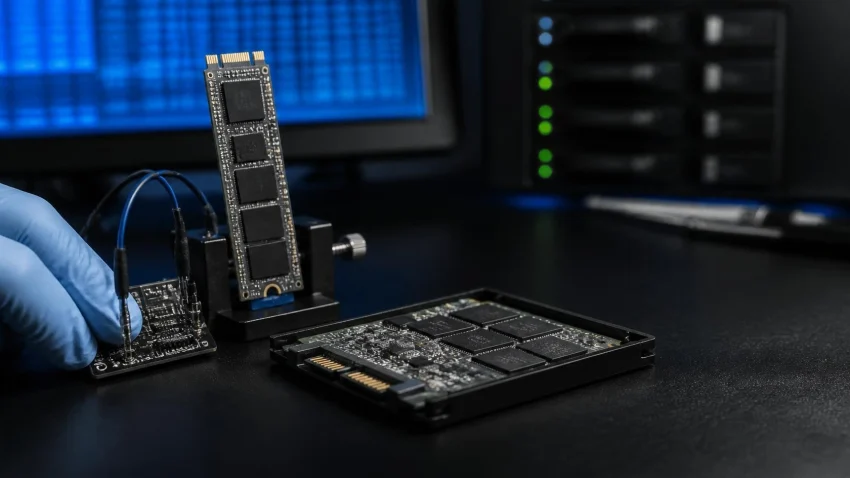
–> When a hard disk fails, it usually warns you — it slows down, clicks or throws errors. An SSD often gives no warning at all. One morning the laptop says “no bootable device”, or the drive disappears from the BIOS, or it shows up with the wrong name and zero capacity. SSD recovery also works differently. Some SSD failures are among the most recoverable cases a lab sees. Others — deleted files on a drive with TRIM switched on — can be gone within minutes. This guide explains which is which, and what to do in the first hour so you do not make a recoverable case worse.
SSD data recovery at a glance
| Situation | Chance of recovery | What to do now |
|---|---|---|
| SSD not detected, or vanished from BIOS | Often good — usually a controller or firmware fault, data still on the memory chips | Power off. Do not keep restarting or re-plugging it. |
| Wrong name, 0 GB or tiny capacity shown | Often good — firmware has failed, not the data | Do not initialise or format when Windows asks. |
| Laptop dropped, liquid spill, burnt smell | Depends on which components are damaged | Do not power on. Bring the laptop or the drive as it is. |
| Files deleted or quick-formatted | Low, and falling every minute the drive is in use | Shut down now. Do not install recovery software on that drive. |
| BitLocker or device encryption on | Possible only with the recovery key | Find the key in your Microsoft account before anything else. |
SSD / NVMe data recovery at CNC: ₹4,000–₹12,000. Deleted or formatted files on a working drive (logical recovery): ₹2,000–₹6,000. Free diagnosis. No data recovered, no fee.
Quick help from CNC — West Patel Nagar, Delhi
Lost important files? We can help.
CNC recovers data from HDDs, SSDs, RAID, NAS and pen drives. Free diagnosis. No Data — No Charge.
⭐ 4.9★ · 1,000+ Google reviews · Since 1996 · GST invoice · Learn more →
Why an SSD is not a small hard disk
A hard disk stores data on spinning platters, and a deleted file stays there until something overwrites it. An SSD stores data on flash memory chips, managed by a controller that constantly moves data around to spread wear. Three things follow from that:
- TRIM. When you delete a file, Windows tells the SSD that those blocks are free. The SSD then erases them in the background, often within minutes. This is why deleted files on an SSD are much harder to recover than on a hard disk, and why switching the laptop off quickly matters.
- The controller holds the map. The data is spread across the chips in an order only the controller knows. If the controller or its firmware fails, the data is still there but unreadable — and that is a lab job, not a software job.
- Encryption is common. Many new Windows laptops turn on device encryption or BitLocker automatically. Some SSDs also encrypt internally. Without the key, recovered data is unreadable.
The first hour: what to do, and what not to do
- Stop using the drive. Every minute of use gives TRIM and background clean-up more time to erase deleted data.
- Do not run free recovery software on the same drive. Installing it writes to the drive you are trying to recover from. See recovery software vs a professional lab for when software is safe to try.
- Do not click “Initialize disk” or “Format”. If Windows shows the SSD as unallocated or asks to initialise it, close the window.
- Do not keep power-cycling a dead SSD. Repeated attempts can make a firmware fault worse.
- Find your BitLocker recovery key. If the laptop used a Microsoft account, the key is usually saved at account.microsoft.com/devices/recoverykey. Note it down before you bring the drive in.

SATA, M.2 and NVMe — does the type matter?
All three are recoverable, but the work is different. A 2.5-inch SATA SSD and an M.2 SATA SSD use the same interface; an M.2 NVMe drive is faster and uses a different controller family. NVMe drives in thin laptops run hot, and a controller that has failed from heat is one of the more common cases. The drive type changes the tools used and the time taken, which is why the price is a range rather than a single number.
Soldered storage and MacBooks
Many thin laptops and all recent Apple MacBooks have soldered storage, and on MacBooks the data is encrypted with keys tied to that board. Here the drive cannot be removed and read elsewhere. Recovery usually means repairing the motherboard enough for it to start, then copying the data off. CNC does both the chip-level board repair and the recovery under one roof.
How an SSD recovery is handled in the lab
- Diagnosis. The drive is identified, its controller and firmware state checked, and the realistic chance of recovery explained. Free.
- Quote. You get the price and time before any work starts.
- Firmware or controller work. The drive is brought to a state where its data can be read safely.
- Imaging. The readable data is copied to a healthy drive. All further work is done on the copy.
- File list before payment. You see the recovered files and check the ones that matter before paying. Data is handed over on a new drive or your own.
If the data cannot be recovered, you pay nothing — not even the diagnosis. That applies to SSDs the same way it applies to hard disks and RAID arrays.
How to avoid the next SSD data loss
- Back up outside the laptop. An external drive plus a cloud copy. An SSD can fail without warning, so a backup is the only real protection.
- Watch drive health. A free tool such as CrystalDiskInfo shows the SSD’s health and remaining life.
- Do not run it full. An SSD that is always 95% full wears faster and slows down.
- Save your BitLocker key. Print it or keep it in a second place, not only on the laptop.
Offices that want this done on a schedule can include backup checks in an IT AMC.
SSD data recovery in Delhi — where to go
CNC’s data recovery lab is at O-41, West Patel Nagar, New Delhi 110008, 3 minutes’ walk from Shadipur Metro (Blue Line, Gate No. 4). Open Monday to Saturday, 10 AM to 7 PM. Free pickup and drop within 10 km. Customers from Gurugram and Noida bring drives to the lab, or ask about pickup when they call. SSD, NVMe, hard disk and RAID recovery: cnc-system.com/storage-and-data-recovery · Call +91-9810130131 · WhatsApp
Frequently asked questions
Can data be recovered from a dead SSD?
Often, yes. When an SSD stops being detected, the usual cause is a controller or firmware fault while the data is still on the memory chips. A lab can usually reach it. Do not keep restarting the drive, and do not format it if Windows asks.
Can deleted files be recovered from an SSD?
Sometimes, but the chances are lower than on a hard disk. With TRIM on, which is the default in Windows, the SSD erases deleted blocks in the background. Shutting the laptop down immediately gives the best chance.
How much does SSD data recovery cost in Delhi?
At CNC, SSD and NVMe recovery costs ₹4,000–₹12,000, depending on the drive and the fault. Deleted or formatted files on a working drive cost ₹2,000–₹6,000. Diagnosis is free and there is no fee if the data is not recovered.
Why is my SSD not detected?
Common causes are a loose connection, a failed controller, corrupted firmware or a power fault on the laptop board. First check it in another computer or a USB adapter. If it still does not show, or shows with the wrong name or 0 GB, stop and get it diagnosed.
Can you recover data from a MacBook with a soldered SSD?
Yes, in many cases. Because the storage is soldered and encrypted to the board, the motherboard is repaired enough to start, and the data is then copied off. CNC handles the board repair and the recovery together.
📍 O-41 West Patel Nagar · Mon–Sat 10 AM–7 PM
Lost important files? We can help.
CNC recovers data from HDDs, SSDs, RAID, NAS and pen drives. Free diagnosis. No Data — No Charge.
⭐ 4.9★ · 1,000+ Google reviews · Since 1996 · GST invoice · Learn more →
Prices and rates mentioned in this article are indicative estimates as of October 2026, exclusive of GST unless stated, and may change without notice due to exchange-rate movements, supply constraints and market demand. Please confirm current pricing and availability with CNC before making any decision.