
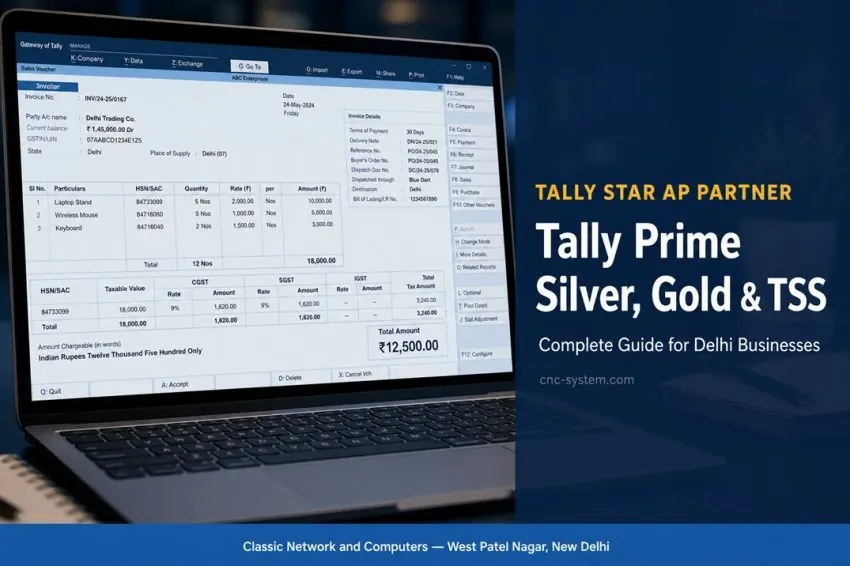
Tally Prime in Delhi: Silver vs Gold, TSS, Tally on Cloud & What Your Business Actually Needs
Classic Network and Computers (CNC), a Tally 3 Star Certified Partner at West Patel Nagar, New Delhi, explains the difference between Tally Prime Silver and Gold, what TSS is, and whether Tally on Cloud is right for your business.
If you run a business in Delhi NCR and use Tally for your accounts, you already know how much depends on it — GST filing, stock management, payroll, purchase orders, and every financial record your CA asks for. But every week we get calls at CNC from business owners who are confused: Silver or Gold? Should I renew TSS? What is Tally on Cloud? Can I recover my Tally data?
Quick help from CNC — West Patel Nagar, Delhi
Need Tally Prime licence or support?
CNC is a Tally 3 Star Certified Partner in Delhi. Silver ₹26,550 · Gold ₹79,650. Installation + training included.
⭐ 4.9★ · 1,000+ Google reviews · Since 1996 · GST invoice · Learn more →
As a Tally 3 Star Certified Partner (Tally partner since 2003; in Delhi NCR IT since 1996), we have answered all these questions hundreds of times. This guide is the most practical, honest answer we can give — written for business owners and finance managers, not accountants or tech people.
What is Tally Prime? (And how is it different from Tally ERP 9?)
TallyPrime is the current generation of accounting and business management software from Tally Solutions Pvt. Ltd. — the Bangalore-based company that has been building Tally since 1986. If your office still runs Tally ERP 9, you are on the previous generation. Tally Solutions has stopped releasing new compliance updates for Tally ERP 9.
TallyPrime looks different — cleaner and faster — but everything you know from Tally ERP 9 works the same way. Ledgers, vouchers, stock items, purchase orders, GST returns — all present. The difference is speed, multi-tasking, and the fact that TallyPrime is the version receiving all new GST, TDS, and e-invoicing updates going forward.
Migrating from Tally ERP 9 to TallyPrime is not a data loss — it is a lift-and-shift. CNC migrates businesses from ERP 9 to Prime routinely, on-site at your Delhi NCR office. See our Tally Prime page →
Tally Prime Silver vs Gold — the honest difference
This is the question we get most often. The answer is simpler than most people think.
Tally Prime Silver — single user
Silver is a single-user licence. One person can use it at a time, on one machine. If your accountant is the only person entering data in Tally, Silver is exactly right. You can install it on multiple computers — it just cannot run on more than one at the same time.
Who should buy Silver: proprietorships, freelancers, single-accountant offices, CA firms with one Tally operator, clinics, and retail shops where the owner manages accounts.
Tally Prime Gold — unlimited users on LAN
Gold is an unlimited-user licence on a Local Area Network (LAN). Install it on one server and every computer on your office network can access the same live company data simultaneously. The purchase manager enters purchase orders while the accountant reconciles bank entries and the owner checks the stock report — all at the same time, on the same data.
Who should buy Gold: trading companies, distributors, manufacturing firms, offices with 2 or more staff entering data in Tally, multi-branch operations on a single network, and any business where more than one person works in Tally during the day.
| Feature | Silver | Gold |
|---|---|---|
| Users at a time | 1 (single user) | Unlimited (on LAN) |
| Best for | Proprietorships, solo CAs | Teams, offices, distributors |
| Network access | Single machine | All machines on LAN |
| GST & compliance | ✓ Full | ✓ Full |
| Simultaneous data entry by multiple staff | ✗ Not possible | ✓ Yes |
| Multi-branch (single LAN) | ✗ | ✓ |
| TSS required for updates | ✓ Annual renewal | ✓ Annual renewal |
One important point: Silver and Gold have identical features. The only difference is the number of simultaneous users. There is no “Silver has fewer GST features” — that is a common misconception in Delhi’s market.
What is TSS — Tally Software Service — and why you must not let it expire
Tally TSS (Tally Software Service) is Tally Solutions’ annual subscription that keeps your TallyPrime current and compliant. Think of it as your phone’s operating system updates — except for accounting compliance.
Every year, the Indian government changes GST rules, TDS rates, e-invoicing thresholds, TCS provisions, and other compliance requirements. Tally Solutions packages all of these into TallyPrime updates that are delivered automatically — but only if your Tally TSS is active.
What happens when Tally TSS expires?
- Your TallyPrime stops receiving new compliance updates
- You lose access to TallyPrime’s built-in remote connectivity feature
- You lose access to official Tally Solutions support
- If GST rules change after your TSS expired, Tally may generate incorrect returns
- You can still use Tally for data entry — but the compliance risk is entirely yours
We see this go wrong at the worst times: right before March year-end, or when a business is under a GST audit. An expired Tally TSS is not a theoretical risk — it is a practical one that CNC deals with for Delhi NCR clients every filing season.
📞 TSS expired? Call CNC at +91-9810130131 or WhatsApp us for same-day renewal.
Tally on Cloud — what it is and whether your business needs it
Tally on Cloud means running TallyPrime on a cloud server — typically a Windows Virtual Private Server (VPS) — and accessing it remotely over the internet from any device, anywhere. This is different from TallyPrime’s built-in remote access feature (which requires active Tally TSS). Tally on Cloud runs Tally on a dedicated server in a data centre, and you connect to it like a remote desktop.
Advantages of Tally on Cloud
- Access TallyPrime from anywhere — home, travel, multiple office locations
- No dependency on a specific office computer or server
- Automatic data backup by the cloud provider
- Multiple branch access without a VPN setup
- Works on laptops, desktops, and tablets
Disadvantages to watch for
- Monthly subscription cost — typically ₹1,500–₹5,000/month depending on users and provider
- Performance depends entirely on your internet connection speed
- You need to verify the cloud provider’s data security and compliance posture
- Support for cloud-specific issues depends on the provider’s responsiveness
- For a single-office Delhi NCR business with stable LAN, TallyPrime Gold on a local server is usually faster and cheaper
CNC’s honest recommendation: Tally on Cloud makes good sense for businesses genuinely spread across multiple physical locations — say, a head office in Delhi and a godown in Noida with no inter-office network. For a single Delhi NCR office with 2–10 Tally users, TallyPrime Gold on a local server is almost always the better choice. CNC evaluates both options with you before recommending anything.
Tally Service in Delhi NCR — what CNC covers
When people search for “Tally service in Delhi,” they usually mean one of several things. Here is exactly what CNC provides as a Tally 3 Star Certified Partner:
New TallyPrime licence supply
We supply genuine TallyPrime Silver and Gold licences with full Tally Solutions activation confirmation. No grey market, no pirated copies, no “shared licences.”
TallyPrime installation and configuration
A CNC engineer visits your office in Delhi NCR, installs TallyPrime on the correct machine or server, creates your company, configures GST settings, sets up users and access levels, and integrates with printers and barcode scanners if needed. Installation is always on-site.
Tally ERP 9 to TallyPrime data migration
Data migration is one of the most common things we do. Tally’s migration tool is reliable but requires careful handling — especially with multiple company files, years of data, or customised TDLs. CNC engineers handle this on-site, verify every ledger and voucher count before and after, and confirm data integrity before handing back the system.
Tally TSS renewal
We renew Tally TSS for clients across Delhi NCR. Same-day renewal with confirmation sent via email and WhatsApp.
TallyPrime staff training
Every installation includes a training session for your accounts team covering daily operations: voucher entry, invoicing, purchase orders, GST returns, stock management, and reports. Extended half-day or full-day sessions are available for larger teams.
Tally AMC support
CNC covers TallyPrime under our IT Annual Maintenance Contract (AMC) — one number for hardware, network, Tally, and cyber security, with guaranteed response times. Learn about CNC AMC →
Tally Data Recovery — yes, it is possible
TallyPrime stores all company data in a folder called Data inside the Tally installation directory — typically C:\TallyPrime\Data\. Each company has its own numbered subfolder containing .900 files — your ledgers, vouchers, and full transaction history.
These files can be lost or corrupted. Common scenarios CNC has dealt with for Delhi NCR businesses:
- Hard drive failure — the computer running Tally dies, taking the Data folder with it
- Accidental deletion — someone deletes the Data folder or the entire Tally directory
- File corruption — power cuts, abrupt shutdowns, or OS crashes corrupt the
.900files - Ransomware — encrypted Tally data files (increasingly common with Delhi NCR SMEs)
- “No Companies Found” in Tally — the Data path has changed or the files have moved
- Server crash — the server running TallyPrime Gold goes down and files are damaged
What CNC can recover
- Tally data from failed hard drives — we extract the Data folder from a physically damaged or logically corrupted drive
- Corrupted
.900files — mild corruption is often fixable via Tally’s own repair tool (Help menu). For severe corruption, CNC uses specialised tools to reconstruct the file structure - Deleted Tally data — if files were recently deleted and the drive has not been heavily rewritten, recovery rates are high
- Tally backups from older versions — we restore from Tally backup files (File → Backup) even if the backup format is from Tally ERP 9 or earlier
The single most important thing you can do right now: ensure TallyPrime’s auto-backup is enabled and pointing to a second drive or cloud-synced folder. CNC configures this during every installation. If your Tally data is already lost or corrupted, call CNC immediately at +91-9810130131 — do not reinstall Tally or write new data to the affected drive. See our data recovery service →
5 things Delhi businesses get wrong about Tally
- “I don’t need Tally TSS because my Tally still works.” Tally works without TSS for data entry. But it cannot generate correct GST returns for rule changes that happened after your TSS expired. You may not notice until your CA flags an error or you receive a scrutiny notice.
- “Silver is cheaper, so I’ll buy Silver and share it between two staff.” Running Silver simultaneously from two machines violates the licence and can cause data corruption when two users write to the same files at the same time. If two people work in Tally, buy Gold.
- “Tally on Cloud is more secure than a local server.” Not automatically. Security depends entirely on how the cloud server is configured. A well-configured local server in a locked room can be more secure than a poorly managed cloud VM.
- “My Tally data is safe because it’s on the computer.” If that computer has no backup and the hard drive fails, the data is gone. Tally data on a single local drive with no backup is one of the most common crises CNC resolves in Delhi NCR.
- “I can buy TallyPrime from any online marketplace.” You can — but you get only the licence key, with no installation, no data migration, no training, and no one to call when something goes wrong. The difference between buying from a Tally 3 Star Certified Partner like CNC and buying from a marketplace listing is everything that comes after the sale.
As a Tally 3 Star Certified Partner, CNC sells at official pricing: you can buy Tally Prime in Delhi from CNC — Silver ₹26,550 or Gold ₹79,650 (incl. GST), with on-site installation, data migration, and training included.
Quick reference — which Tally product does your business need?
| Your situation | What you need |
|---|---|
| One accountant, one machine | TallyPrime Silver + Tally TSS |
| 2 or more staff entering data at once | TallyPrime Gold + Tally TSS |
| Multiple locations, remote access needed | TallyPrime Gold + Tally on Cloud or VPN |
| Still on Tally ERP 9 | Migrate to TallyPrime + Tally TSS |
| TSS expired | Tally TSS renewal — call CNC today |
| Tally data lost or corrupted | Tally data recovery — call +91-9810130131 immediately |
| New accounts staff joining | TallyPrime training by CNC, on-site |
Get TallyPrime in Delhi NCR — contact CNC
CNC is a Tally 3 Star Certified Partner with 30 years of IT experience in Delhi NCR. CNC supply genuine Tally Prime Silver and Gold licences, handle on-site installation, Tally ERP 9 data migration, staff training, Tally TSS renewal, and Tally data recovery.
📍 O-41, West Patel Nagar, New Delhi – 110008
📞 +91-9810130131 | +91-9871291536
💬 WhatsApp for a quick Tally quote →
🌐 cnc-system.com/tally-prime-delhi
Frequently asked questions
What is the difference between Tally Prime Silver and Gold?
Tally Prime Silver is a single-user licence — one user at a time on one machine. It is ideal for proprietorships, solo accountants, and small businesses. Tally Prime Gold supports unlimited concurrent users on a Local Area Network (LAN), making it the right choice for offices where 2 or more staff need to work in Tally simultaneously.
What is Tally TSS and what happens if it expires?
Tally TSS (Tally Software Service) is the annual subscription that delivers all GST, TDS, e-invoicing, and compliance updates to TallyPrime. If TSS expires, your Tally stops receiving regulatory updates and may generate incorrect returns. You also lose remote access and official Tally support. CNC renews Tally TSS for Delhi NCR clients on the same day — call +91-9810130131.
What is Tally on Cloud and is it better than a local installation?
Tally on Cloud runs TallyPrime on a cloud server accessible from anywhere over the internet. It suits businesses with staff at multiple physical locations. For a single Delhi NCR office with 2–10 users, TallyPrime Gold on a local server is usually faster, simpler, and cheaper. CNC helps you evaluate both options before recommending anything.
Can CNC recover lost or corrupted Tally data in Delhi?
Yes. CNC provides Tally data recovery in Delhi NCR for data lost due to hard drive failure, accidental deletion, file corruption, ransomware, or server crashes. We recover Tally .900 data files from damaged drives and corrupted file systems. Do not write new data to the affected drive — call CNC immediately at +91-9810130131.
How do I migrate from Tally ERP 9 to TallyPrime without losing data?
CNC handles complete Tally ERP 9 to TallyPrime data migration on-site at your Delhi NCR office. Our engineer backs up all company data, runs the migration tool, verifies all ledgers, vouchers, and stock items in TallyPrime, and confirms data integrity before handing back the system. No data is lost and no manual re-entry is needed.
How much does Tally Prime cost in Delhi?
Tally Prime Silver (single user) is ₹22,500 + GST (₹26,550) and Tally Prime Gold (multi-user) is ₹67,500 + GST (₹79,650), at official Tally Solutions pricing. On-site installation is included.
How much is Tally TSS renewal?
Tally TSS renewal is ₹4,500 + GST (₹5,310) per year for Silver and ₹13,500 + GST (₹15,930) per year for Gold.
Is CNC an authorised Tally dealer in Delhi?
Yes. CNC (Classic Network and Computers) is a Tally 3 Star Certified Partner (3 Star Sales & Implementation) in Delhi NCR and a Tally partner since 2003. We supply genuine TallyPrime Silver and Gold licences with on-site installation, data migration, staff training and Tally TSS renewal. CNC is at O-41, West Patel Nagar, New Delhi 110008. Call +91-9810130131.
Written by Raju Manocha, Founder & CEO, Classic Network and Computers. Raju has 41+ years in the Indian IT industry and has personally overseen Tally deployments for trading firms, NGOs, healthcare institutions, and enterprise clients across Delhi NCR since the Tally 4.5 era.
📍 O-41 West Patel Nagar · Mon–Sat 10 AM–7 PM
Need Tally Prime licence or support?
CNC is a Tally 3 Star Certified Partner in Delhi. Silver ₹26,550 · Gold ₹79,650. Installation + training included.
⭐ 4.9★ · 1,000+ Google reviews · Since 1996 · GST invoice · Learn more →
Prices and rates mentioned in this article are indicative estimates as of October 2026, exclusive of GST unless stated, and may change without notice due to exchange-rate movements, supply constraints and market demand. Please confirm current pricing and availability with CNC before making any decision.