
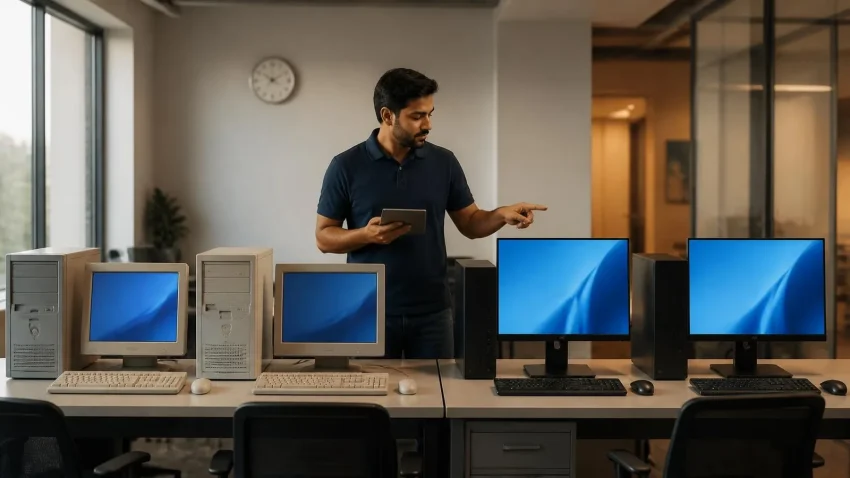
Windows 10 stopped receiving free security updates on 14 October 2025. If your Delhi office is still running it — and a large share of Indian SME desktops are — you’re now in one of three states: paying Microsoft for Extended Security Updates, running exposed, or somewhere in between and not sure which. This guide sorts out where you actually stand, what it costs to stay, and the three ways out. The commercial ESU Year 1 licence ended on 13 October 2026, and Year 2 costs double. If your office has not decided yet, decide with an inventory in hand rather than renewing by default.
What “end of support” actually means in practice
Windows 10 still boots, Tally still runs, the printer still prints. Nothing visibly breaks — which is exactly why so many offices haven’t moved. What has changed is invisible: every month, security researchers and attackers find new vulnerabilities in Windows, and Microsoft now patches them only on Windows 11 and on Windows 10 machines with a paid ESU licence. An unlicensed Windows 10 PC accumulates unpatched holes indefinitely. For a Delhi SME the realistic consequences are ransomware locking your Tally data and shared drives, phishing that turns one compromised PC into a full network intrusion, cyber-insurance claims rejected for running unsupported software, and — since the DPDP Rules require “reasonable security safeguards” with penalties live from November 2026 — a compliance problem you cannot easily defend after a breach.
Quick help from CNC — West Patel Nagar, Delhi
Need Tally Prime licence or support?
CNC is a Tally 3 Star Certified Partner in Delhi. Silver ₹26,550 · Gold ₹79,650. Installation + training included.
⭐ 4.9★ · 1,000+ Google reviews · Since 1996 · GST invoice · Learn more →
The ESU option: what it really costs
Microsoft’s commercial Extended Security Updates programme delivers critical and important security patches only — no features, no bug fixes, no support — for up to three years, priced per device and doubling every year:
| ESU year | Coverage period | Price per device | Approx. INR* |
|---|---|---|---|
| Year 1 | Oct 2025 – Oct 2026 | $61 | ≈ ₹5,200 |
| Year 2 | Oct 2026 – Oct 2027 | $122 | ≈ ₹10,400 |
| Year 3 | Oct 2027 – Oct 2028 | $244 | ≈ ₹20,800 |
| 3-year total | $427 | ≈ ₹36,400 |
*Indicative at ~₹85/USD; actual invoice depends on the day’s rate and your licensing channel. Two things catch businesses out. First, ESU is cumulative: an office that skipped Year 1 and wants Year 2 must pay for both. Second, the cheap consumer ESU option you may have read about (free with Windows Backup, or a small one-time fee, now extended to October 2027) is not available to business PCs — domain-joined, MDM-enrolled and kiosk devices are excluded, and it requires a Microsoft account per machine. For an office, ESU means the commercial programme at commercial prices. Do the maths for a 20-PC office: Year 2 alone is roughly ₹2 lakh, and the three-year total approaches ₹7.3 lakh — for machines that are, by then, six to eight years old and still on an operating system with no future. ESU is a bridge, not a destination.
Path 1: Upgrade in place to Windows 11
If the PC meets Windows 11 requirements — TPM 2.0, Secure Boot, an 8th-generation Intel Core / AMD Ryzen 2000 or newer processor, 4 GB RAM and 64 GB storage — the upgrade is free with a valid Windows 10 licence. The catch is that “meets requirements” and “runs Windows 11 well” are different things. A 2018 machine with 4 GB RAM and a mechanical hard disk will technically upgrade and practically crawl. Our rule: upgrade in place only if the machine has 8 GB RAM and an SSD, or can be brought to that for under ₹4,000. Most 2019-and-newer business desktops qualify.
Path 2: Refurbished Windows 11-ready desktops
For machines that fail the TPM/processor test, the most cost-effective replacement in Delhi is a certified refurbished corporate-grade desktop — 8th-gen or newer Core i5, 8–16 GB RAM, SSD, genuine Windows 11 Pro, tested and warrantied. These are ex-enterprise machines that were built for five-year duty cycles and typically cost a third of new. CNC supplies them from ₹ 19,500/- with GST invoice through our computer store in West Patel Nagar. For a fleet, that per-seat number is often less than two years of ESU.
Path 3: New fleet with Windows 11 Pro
Where the machines are doing heavier work — design, engineering, multi-monitor trading, or anything that will need to last another five to six years — a new Windows 11 Pro desktop is the right call. Buying in bulk unlocks better pricing, one GST invoice, deployment with your applications pre-installed, and a matching warranty across the fleet. See our bulk computer supply for Delhi offices.
How to check what you have — in five minutes per PC
Before any decision, find out which machines can take Windows 11. On each PC, press Windows + R, type tpm.msc and press Enter: the window shows whether a TPM is present and its version (you need 2.0). Then open Settings → System → About to read the processor model — an Intel Core with “8” or higher as the first digit after the dash (i5-8400, i3-10100) or an AMD Ryzen 2000-series or newer passes. Finally, check RAM (8 GB is the practical floor) and whether the drive is an SSD (Task Manager → Performance → Disk). Microsoft’s PC Health Check app does the same in one click if you’d rather not dig. Write the results in a simple sheet — machine, user, TPM, CPU, RAM, SSD, verdict — and the fleet plan writes itself.
The decision table
| Your PC | Recommended path | Why |
|---|---|---|
| 2019+, 8 GB, SSD (or upgradable cheaply) | Upgrade in place | Free, keeps the hardware working |
| Older than 8th-gen Intel / no TPM 2.0 | Refurbished Win11 desktop | Cheaper than 2 years of ESU |
| Legacy app that only runs on Win10 | ESU Year 2 for those PCs only + plan migration | Buys 12 months to replace the app |
| Heavy workloads / 5-year horizon | New Windows 11 Pro fleet | Total cost of ownership wins |
| Not sure what you have | Fleet audit first | Inventory before spend |
The mistake to avoid: renewing ESU by default
The ESU Year 2 renewal decision is due now. Offices that decide without an inventory, a budget approval or time to test upgrades usually default to paying. A fleet audit takes an engineer half a day for 20–30 machines and produces the list you need: upgrade these, replace those, license those two legacy PCs. That’s the whole decision, made with numbers instead of pressure.
Frequently asked questions
Can I keep using Windows 10 without ESU if the PC isn’t connected to the internet?
An air-gapped machine is lower risk, but almost no office PC is truly offline — USB drives, network shares and printers all bridge the gap. Treat it as a temporary exception, not a strategy.
Is the free consumer ESU allowed for a small business with 3–4 PCs?
Microsoft’s consumer programme is for personal devices and excludes business-managed machines. Small offices sometimes use it on standalone PCs, but it requires a Microsoft account per device and is not a licensed business solution. Confirm with your licensing advisor.
Will my Tally, printers and existing software work on Windows 11?
Tally Prime runs fully on Windows 11. Modern printers are fine; very old models may need driver checks. The usual holdouts are custom or legacy applications — which is what the fleet audit is for.
How long does upgrading a 20-PC office take?
Typically two to three working days with a refurbished or new fleet deployed pre-configured, or one to two days for in-place upgrades — scheduled outside business hours so nobody loses a working day.
Book a Windows 10 fleet audit
CNC audits your machines, tells you which to upgrade, replace or license, and delivers the whole plan — refurbished or new Windows 11 desktops, genuine licences, deployment. 4.9★ from 1,000+ Google reviews, serving Delhi since 1996.
📞 +91-98101-30131 · 💬 WhatsApp us · Licensing & upgrade options →
📍 O-41 West Patel Nagar · Mon–Sat 10 AM–7 PM
Need Tally Prime licence or support?
CNC is a Tally 3 Star Certified Partner in Delhi. Silver ₹26,550 · Gold ₹79,650. Installation + training included.
⭐ 4.9★ · 1,000+ Google reviews · Since 1996 · GST invoice · Learn more →
Prices and rates mentioned in this article are indicative estimates as of October 2026, exclusive of GST unless stated, and may change without notice due to exchange-rate movements, supply constraints and market demand. Please confirm current pricing and availability with CNC before making any decision.