
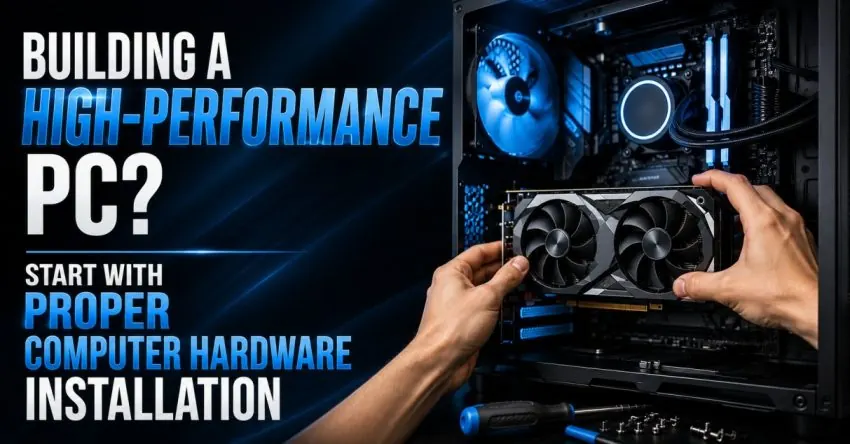
Building a high-end PC isn’t a matter of just choosing an elite processor, a lot of RAM, a quick SSD, or a good high-tech graphics card. The installation of these components has an impact on the performance of the system, which can be either efficient or reliable. The best hardware can break down if connections are not done, if installations are not optimized, if the cooling is inadequate or if the hardware is incompatible. That is why computer hardware installation is a critical process in creating a reliable, high performance system.
Review the Hardware Compatibility section of the Start With page
Each element must fit in harmony with the other parts before installation. The motherboard must be compatible with the selected processor, the RAM must meet the requirements, and the power supply must be powerful enough to handle the combined requirements of the processor and RAM.
Quick help from CNC — West Patel Nagar, Delhi
Need laptop repair or data recovery help?
CNC is at West Patel Nagar, Delhi — same-day service, free diagnosis, No Fix No Charge.
⭐ 4.9★ · 1,000+ Google reviews · Since 1996 · GST invoice · Learn more →
Other devices such as storage devices, graphics cards, cooling devices and expansion cards must also be compatible with the motherboard and cabinet. This can help avoid installation issues and result in a cost saving for the unnecessary replacement.
Practice caution when handling Components.
The components of a computer are delicate electronic gadgets. If they are not handled properly during installation, connectors might become damaged, pins bent, connectors might loosen or other problems can occur which can be prevented.
A proper installation starts with a clean work space and handling with care of all components. Technicians need to follow manufacturer recommendations, use appropriate tools and not apply any more force than is recommended. Proper handling is particularly crucial for CPU, RAM, Graphics Card and Storage installation.
Cooling is a part of performance.
These high performance components heat up especially while playing games, video editing, 3D rendering and other heavy use. Even with the powerful hardware, a system cannot maintain suitable temperatures if it isn’t configured.
Installing computer hardware properly involves mounting the cooling devices properly, correctly securing the CPU cooler, adding thermal compound where needed, and ensuring that the case fans will provide adequate airflow. Proper cable organization can also allow for proper air circulation in the cabinet.
Secure Every Connection
Two components that are not firmly fastened together can cause instability despite a PC’s top-of-the-range hardware. The connectors for power, memory, storage, front-panel and expansion cards must be secure.
When setting up, it is important to ensure that cables are properly routed and do not get caught or obstruct fans or other components. There are lots of small details about installations that can have a big effect on system reliability.
Initial configuration and BIOS are important.
The cabinet doesn’t close until the hardware installation is complete. The system should be switched on and inspected to ensure that it is able to identify the components installed.
BIOS/UEFI settings might need to be checked to make sure the processor, memory, storage & etc. are detected properly. The appropriate setting can make the system work from the abilities of the installed components.
Test before putting the PC to work: this is the concept that is the most important.
An important task is considered to be any activity that is performed by a newly-built PC before being used for the first time. With temperature checking, system health checking, memory stability testing, responsiveness testing, and system performance checking, the installation problems can be spotted at an early stage.
It is helpful to both workstations and gaming computers since the problems which cannot be noticed initially become significant during strenuous activities.
Conclusion
The quality components and computer hardware installation create a high-performance PC. These compatibility checks, handling, cooling, secure connections, correct configuration and post computer hardware installation testing all help to ensure a smoother computing experience. Whether you’re building a gaming pc, workplace workstation, or a robust day-to-day Pc, installing it correctly from the start can keep your gear working properly for many years.
Also Read: Data Recovery Software for USB Drives: Recovering Files After Accidental Deletion
📍 O-41 West Patel Nagar · Mon–Sat 10 AM–7 PM
Need laptop repair or data recovery help?
CNC is at West Patel Nagar, Delhi — same-day service, free diagnosis, No Fix No Charge.
⭐ 4.9★ · 1,000+ Google reviews · Since 1996 · GST invoice · Learn more →
Prices and rates mentioned in this article are indicative estimates as of August 2026, exclusive of GST unless stated, and may change without notice due to exchange-rate movements, supply constraints and market demand. Please confirm current pricing and availability with CNC before making any decision.
1 thought on “Building a High-Performance PC? Start With Proper Computer Hardware Installation”