
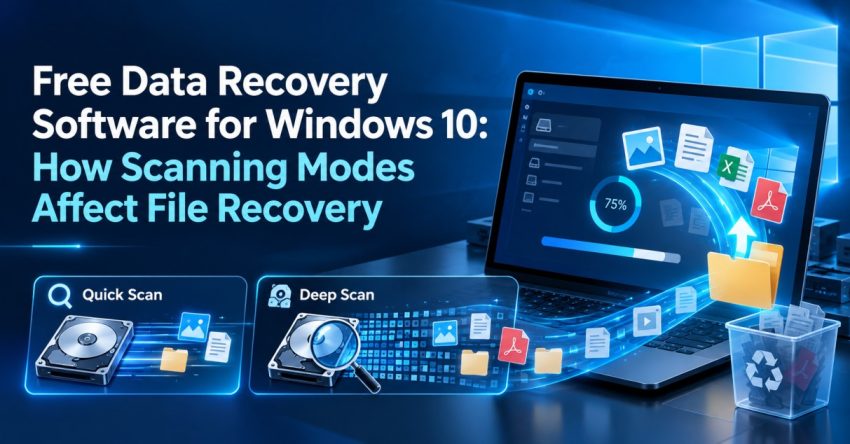
Deletion of crucial files from a Windows 10 PC is frustrating, whether accidental or due to storage-related issues. There are free data recovery software for Windows 10 that allow one to look for any possible data recovery without having to go to a professional data recovery service. Nevertheless, the results depend on the scanning method and the state of the storage device. Understanding the various types of scanning methods will help people choose which one suits their needs.
Quick Scans for Recently Deleted Files
A quick scan usually aims to find all the recoverable files that can be recovered by looking at the file system information that is available. It works well when one has recently deleted some files from the hard disk that is in good condition.
Quick help from CNC — West Patel Nagar, Delhi
Lost important files? We can help.
CNC recovers data from HDDs, SSDs, RAID, NAS and pen drives. Free diagnosis. No Data — No Charge.
⭐ 4.9★ · 1,000+ Google reviews · Since 1996 · GST invoice · Learn more →
As the scan looks at certain parts of the file system only, not the entire disk, then the process takes less time compared to a more thorough search. Therefore, it is the best first thing to do when looking for deleted documents or pictures.
Deep Scan for Hard Recovery
If the first attempt to find the files with the scan tool fails, there is an option offered by some recovery tools for using a deep scan or advanced scanning process. This technique scans the storage in a more detailed way and allows locating some remnants of files that are not associated with the file system anymore.
Deep scan can be used after operations like formatting, corrupted file system or old data deletion. However, the deep scan operation can take much more time compared to simple scan especially with big storage devices.
The State of the Storage Device is Important
Besides scanning method, another important aspect that can influence the results of recovery is the state and kind of the storage device.
For instance, the deleted information can be recoverable from some kinds of hard disk drives even when the storage space occupied by these files is overwritten. Thus, further work with the device decreases the chances of the recovery process.
Overwriting Files Hinders Recovery
Upon deletion, the former storage location of the files may get reused at a later date for storage of new data. The installation of new applications or downloads of new files and saving documents in the problematic drive increases the chances of overwriting the data which might otherwise be recovered.
Thus, users must make minimal use of the affected storage device prior to the data recovery process. Preferably, any recovery software used should be installed and run on another drive.
Quality of File Is Another Factor
Finding a file does not necessarily imply successful recovery of the file. Sometimes the scan process might find the remnants of the file which have suffered some damage or are partially available. Such a situation may arise where files have been overwritten or the storage device has got physical damages.
Thus, recovered files should be carefully checked since it cannot be assumed that all files displayed by the scan process would be usable.
Choose the Right Scanning Method
A reasonable approach to data recovery involves beginning with the least intense scanning process. Should the required files not be found then a more intense scanning method could be used.
Conclusion
Various scanning modes apply to various scenarios of data recovery. Scans can be appropriate for newly deleted files, while deeper scans could provide wider searches in case of no file system details or damage. Nevertheless, such factors as the state of the storage media itself, usage and overwriting can influence the results. Using a free data recovery software for Windows 10, it is useful to take into account the above-mentioned aspects.
Frequently Asked Questions
Also Read: Network Firewall Security: Managing Network Access across Multiple Locations
📍 O-41 West Patel Nagar · Mon–Sat 10 AM–7 PM
Lost important files? We can help.
CNC recovers data from HDDs, SSDs, RAID, NAS and pen drives. Free diagnosis. No Data — No Charge.
⭐ 4.9★ · 1,000+ Google reviews · Since 1996 · GST invoice · Learn more →