
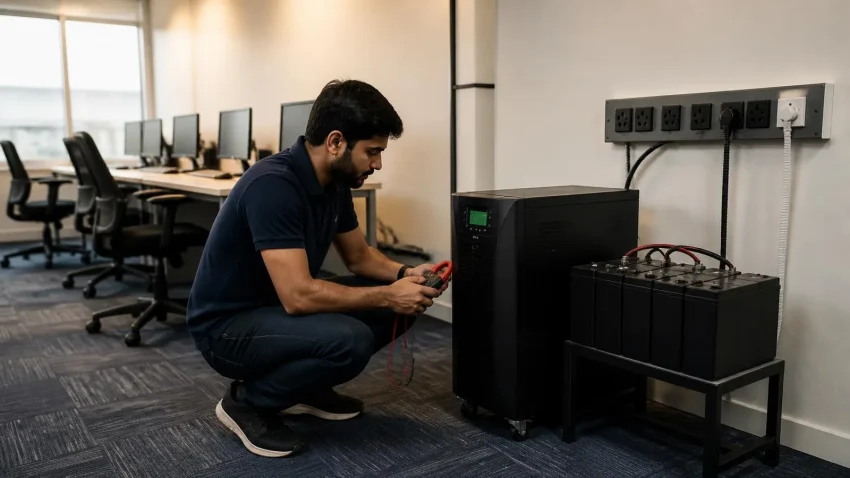
“How many kVA UPS do I need?” is the question we’re asked most about power backup — and the one most often answered with a guess. Guess low and the UPS overloads the first time the printer and the AC compressor kick in together. Guess high and you pay for capacity you’ll never use. The right answer takes four steps and ten minutes. This guide gives you the formula, worked examples for typical Delhi offices, a current price table, and the line-interactive vs online decision — so you can size it yourself or check what a vendor is quoting you.
Step 1: List what the UPS must actually keep running
Not everything. A UPS is for equipment that loses data or breaks when power drops — computers, the server, network cabinet, CCTV recorder, and perhaps the EPABX. Lights, fans, ACs, water dispensers and the pantry microwave belong on the generator or inverter, never on the computer UPS. Decide the protected list first; it’s usually smaller than people expect.
Quick help from CNC — West Patel Nagar, Delhi
Need laptop repair or data recovery help?
CNC is at West Patel Nagar, Delhi — same-day service, free diagnosis, No Fix No Charge.
⭐ 4.9★ · 1,000+ Google reviews · Since 1996 · GST invoice · Learn more →
Step 2: Add up the watts
Use nameplate ratings where you can, or these typical real-world figures:
| Device | Typical running watts |
|---|---|
| Desktop PC (office, i3/i5) + 22″ LED monitor | 120–180 W |
| Workstation (i7, GPU) + 2 monitors | 350–500 W |
| Laptop with charger | 45–90 W |
| Tower server | 300–600 W |
| Network cabinet (router, 24-port switch, firewall, 2 APs) | 100–200 W |
| CCTV NVR with 8 cameras (PoE) | 80–150 W |
| Laser printer (idle / printing) | 15 / 500–900 W |
Laser printers are the classic UPS-killer: their heater surges to nearly 1 kW when printing. Either leave them off the UPS or size for the surge.
Step 3: Convert watts to kVA
UPS capacity is rated in VA (volt-amperes), not watts. The relationship is the power factor — the fraction of VA that becomes usable watts. Modern online UPS units run at 0.8 to 0.9; older or budget models at 0.6 to 0.7. Use 0.8 as a safe default: VA required = Total watts ÷ 0.8
Step 4: Add headroom and round up
Never run a UPS at its limit — batteries age, loads creep, and the printer gets replaced with a bigger one. Multiply by 1.25 for 25% headroom, then round up to the next standard size (1, 2, 3, 5, 6, 10 kVA). Final size = (Total watts ÷ 0.8) × 1.25
Three worked examples
| Office | Protected load | Watts | ÷ 0.8 × 1.25 | Choose |
|---|---|---|---|---|
| Small office, 5 seats | 5 PCs, router, no server | ≈ 850 W | ≈ 1,330 VA | 2 kVA |
| Trading firm, 12 seats | 12 PCs, network cabinet, NVR | ≈ 2,100 W | ≈ 3,280 VA | 3 kVA (tight) or 5 kVA |
| Company, 30 seats + server | 30 PCs, server, cabinet, NVR | ≈ 5,400 W | ≈ 8,440 VA | 10 kVA |
How much backup time do you actually need?
Capacity (kVA) and runtime (minutes) are separate decisions. Capacity is set by the load; runtime is set by battery bank size. Ask what the UPS must achieve during an outage:
- Bridge to generator (2–5 minutes): the UPS only needs to cover the generator’s start-up. Small internal batteries suffice.
- Safe shutdown, no generator (10–20 minutes): enough to save work and shut down cleanly. Standard for most small offices.
- Work through short outages (30–60 minutes): requires an external battery bank, typically 4–8 × 12 V batteries for a 3–5 kVA unit. This is where cost climbs quickly.
Rough runtime: a 3 kVA online UPS at 60% load with a 4-battery (12 V, 100 Ah) bank gives roughly 45–60 minutes. Halve the load and runtime roughly doubles. Your vendor should show you a runtime chart for the exact model — if they can’t, ask another vendor.
Line-interactive vs online UPS
Line-interactive (600 VA–3 kVA) passes mains power through with voltage regulation and switches to battery in a few milliseconds. Fine for individual PCs and small offices with reasonably stable supply. Online double-conversion (1–10 kVA and beyond) continuously rebuilds clean power from the battery side, so the load never sees the mains. Zero transfer time, full protection from Delhi’s voltage swings and generator harmonics. Mandatory for servers, network cabinets, CCTV recorders and anything a trading desk depends on. For a shared office UPS, choose online.
Delhi price table (indicative, September 2026)
| Capacity | Type | Typical use | Indicative price (₹) |
|---|---|---|---|
| 600–1,000 VA | Line-interactive | Single PC | 2,800 – 6,000 |
| 1 kVA | Online | Network cabinet / NVR | 8,000 – 13,000 |
| 2 kVA | Online | 5–8 PCs | 15,000 – 24,000 |
| 3 kVA | Online | 10–15 PCs | 24,000 – 38,000 |
| 5 kVA | Online | 15–25 PCs or server room | 48,000 – 75,000 |
| 6 kVA | Online | 25–30 PCs | 60,000 – 95,000 |
| 10 kVA | Online (1-ph / 3-ph) | 30–50 PCs + server | 1,20,000 – 2,00,000 |
Unit prices only; external battery banks add ₹10,000–₹60,000 depending on runtime, and installation with proper earthing and distribution is extra. Brand, warranty and battery chemistry move prices within the range. Prices exclude GST.
Single-phase or three-phase — and which battery chemistry
Up to about 6 kVA, single-phase online UPS units are standard and connect to a normal (appropriately rated) circuit. From 10 kVA upward, most office buildings in Delhi have three-phase supply available, and three-phase input units are more efficient and easier on the building’s electrical balance; some can still deliver single-phase output for computer loads. Your electrician confirms what the building offers; the UPS vendor matches the unit to it. On batteries: sealed lead-acid (VRLA/SMF) remains the default for cost — cheap to buy, two to four years of life in Delhi’s heat, and needs a well-ventilated location. Lithium iron phosphate (LiFePO₄) banks cost roughly two to three times more upfront, last eight to ten years, weigh a third as much and tolerate heat better, so the lifetime cost often favours lithium for units that will run for years in a warm cabinet. For a small office replacing batteries every three summers, lead-acid is fine; for a server room, lithium is increasingly the sensible choice.
Four mistakes that void the whole exercise
- No earthing check. A UPS on a bad earth protects nothing and may itself fail. Test earthing before installation.
- Printer on the computer UPS. One print job trips the whole office.
- Ignoring battery replacement. Batteries last 2–4 years in Delhi heat; budget for it or the UPS becomes a very expensive surge protector.
- Undersized wiring. A 5 kVA unit on a 16 A socket circuit is a fire risk. The electrician sizes the circuit; the UPS vendor should insist on it.
Frequently asked questions
Is a 1 kVA UPS enough for 5 computers?
Usually not. Five office PCs with monitors draw around 750–900 W, which needs roughly 1,400 VA with headroom. A 2 kVA online unit is the right minimum.
Can I connect an inverter and a UPS together?
Yes — the inverter runs lights and fans, the online UPS runs computers. Keep them on separate circuits, and ensure the inverter output is a pure sine wave if any part of it feeds the UPS input.
What’s the difference between kVA and kW on a UPS label?
kW is the real power available; kVA is apparent power. A 3 kVA UPS with 0.8 power factor delivers 2.4 kW. Always size against kW when comparing models with different power factors.
Does CNC supply and install office UPS in Delhi?
Yes — sizing survey, supply, battery bank design, installation with earthing verification, and AMC. See our UPS and power conditioning page.
Not sure of your load? We’ll measure it
CNC does an on-site load survey, recommends the exact kVA and runtime, and supplies and installs the UPS with proper earthing and distribution. Delhi since 1996, 4.9★ from 1,000+ Google reviews.
📍 O-41 West Patel Nagar · Mon–Sat 10 AM–7 PM
Need laptop repair or data recovery help?
CNC is at West Patel Nagar, Delhi — same-day service, free diagnosis, No Fix No Charge.
⭐ 4.9★ · 1,000+ Google reviews · Since 1996 · GST invoice · Learn more →
Prices and rates mentioned in this article are indicative estimates as of October 2026, exclusive of GST unless stated, and may change without notice due to exchange-rate movements, supply constraints and market demand. Please confirm current pricing and availability with CNC before making any decision.