
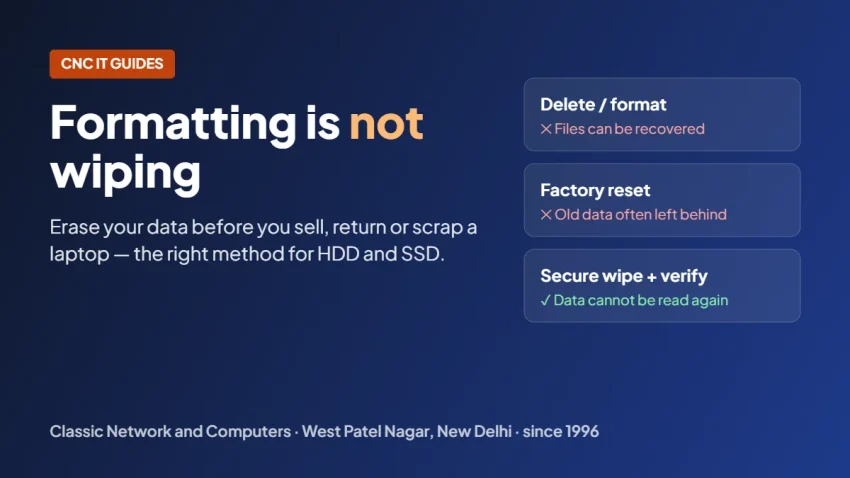
Short answer: deleting files, formatting a drive or doing a quick factory reset does not remove your data. It removes only the index that points to the files, and the files can be brought back with ordinary recovery tools. Before a laptop, desktop, server or external drive leaves your hands, the drive must be securely wiped — overwritten and verified on a hard disk, or erased with the firmware secure-erase command on an SSD.
We write this from the other side of the table. CNC runs a data recovery lab in West Patel Nagar, and formatted or “deleted” drives come in every week for recovery. Most of the time the files are still there. That is good news when someone deletes their accounts folder by mistake. It is bad news when an office sells twenty old laptops with customer records still on them.
Quick help from CNC — West Patel Nagar, Delhi
Lost important files? We can help.
CNC recovers data from HDDs, SSDs, RAID, NAS and pen drives. Free diagnosis. No Data — No Charge.
⭐ 4.9★ · 1,000+ Google reviews · Since 1996 · GST invoice · Learn more →
What deleting, formatting and a factory reset actually do
- Deleting a file (even emptying the Recycle Bin) marks the space as free. The data stays until something new is written over it.
- A quick format creates a new, empty file table. The old files are still on the disk; recovery software rebuilds them from what is left.
- A factory reset or fresh Windows install writes a new operating system over part of the drive. Large parts of the old data are usually untouched.
- Windows “Reset this PC” with the clean-drive option is better than a quick reset, but it gives you no report and no certificate, and on an SSD it cannot reach the drive’s spare memory cells.
None of these is designed to make data unrecoverable. They are designed to make the drive usable again.
Hard disk or SSD: why the method is different
A hard disk (HDD) stores data magnetically on spinning platters. Writing over every sector of the disk replaces the old data, and a verification pass then checks that every sector was actually overwritten.
An SSD or NVMe drive stores data in flash chips. To spread wear, the drive keeps extra memory cells that the computer cannot see, and it moves data around on its own. Overwrite software can only write to the space the computer sees, so old data can survive in the hidden cells. The correct method for an SSD is the drive’s own firmware secure-erase command (or cryptographic erase, where the drive supports it), which clears every cell, including the hidden ones.
Our guide on SSD data recovery explains how TRIM affects deleted files on SSDs. TRIM often makes deleted files hard to recover, but it is not a wiping method and it gives no guarantee.
Degaussing: for hard disks you will not use again
Degaussing puts a hard disk or backup tape in a very strong magnetic field. It erases the data and also the factory tracks the media needs to work, so a degaussed hard disk or tape cannot be used again. It suits media that is being retired — old server disks, failed disks, old backup tapes. Degaussing does nothing to SSDs, pen drives or memory cards, because they do not store data magnetically.
Before you sell, return or scrap a laptop: a checklist
- Back up everything you need, and check that the backup opens.
- Sign out and remove the device from your Microsoft, Google or Apple account, and from any device-management system your office uses.
- Note the drive type (HDD, SSD or NVMe) — it decides the wiping method.
- Do not stop at formatting. Wipe the drive with a method that suits it, and verify the result.
- Remember the other media: external hard disks, pen drives, memory cards, old server and NAS disks, backup tapes, and the spare drives in the cupboard.
- Keep a record. For a business, a certificate of data wiping that lists each drive by serial number is the record your auditor, leasing company or buyer will ask for.
Why businesses need a written record
Old office laptops and servers usually hold staff files, customer lists, invoices and emails — personal data. India’s Digital Personal Data Protection Act, 2023 expects organisations to erase personal data once it is no longer needed, and the erasure rules of the DPDP Rules, 2025 apply from May 2027. A wiping certificate for the devices you retire is a simple way to show that their data was erased. Our DPDP compliance checklist covers the rest of what a small business needs to do.
How CNC wipes drives
- Hard disks: software overwrite of every sector, then verification.
- SSD, NVMe, M.2: firmware secure erase (cryptographic erase where supported).
- Dead or failed SSDs: firmware overwritten by external means, to reduce the possibility of recovering the encrypted data.
- Pen drives and memory cards: wiped too.
- Hard disks and backup tapes to be retired: degaussing. We do not shred or crush drives, and we do not wipe mobile phones.
- Where: on-site at your office anywhere in Delhi NCR, so the drives never leave your premises; at our lab at O-41, West Patel Nagar, 3 minutes from Shadipur Metro (Blue Line, Gate No. 4); or by courier to the lab from anywhere in India.
- Record: a certificate for every job with a CNC unique reference number, each drive’s serial number, the method, the date and the engineer’s signature.
- Selling the machines? CNC buys old servers, workstations, desktops and laptops with their drives, and wipes the drives as part of the purchase. Complete units get a better buyback price.
- Price: quoted per job, depending on the number and type of drives, the method and on-site, lab or courier. The quote is free.
We have done this work for banks, educational institutes, paramilitary forces, PSUs, government offices, and corporate and multinational clients.
Once data is wiped by CNC, it will not be recovered by any means. Details and the quote request are on our secure data wiping page.
Frequently asked questions
Is formatting a hard disk enough before selling it?
No. Formatting creates a new, empty file table, but the old files stay on the disk and can be recovered with ordinary recovery software. The drive needs to be securely wiped — overwritten and verified for a hard disk, or erased with the firmware secure-erase command for an SSD.
Can I wipe an SSD with the same software I use for a hard disk?
Not reliably. SSDs keep spare memory cells that overwrite software cannot reach, so old data can survive there. The right method for SSD and NVMe drives is the drive’s built-in firmware secure-erase or cryptographic erase.
Does degaussing work on an SSD?
No. Degaussing erases magnetic media such as hard disks. SSDs store data in flash chips, so a degausser does not erase them. A degaussed hard disk also stops working and cannot be reused.
Will the laptop still work after the drive is wiped?
Yes, after a software wipe or an SSD secure erase the laptop works normally, but it has no operating system or files. A fresh operating system has to be installed before it is used or sold. Only degaussing makes a hard disk unusable.
Does CNC give a certificate after wiping?
Yes. Every job gets a certificate with a CNC unique reference number. It lists each drive by serial number, with the method, the date and the engineer’s signature — whether the work is done on-site in Delhi NCR, at the CNC lab in West Patel Nagar, or on drives sent by courier.
Can I sell my old laptops and servers after wiping?
Yes. CNC buys old servers, workstations, desktops and laptops along with their drives and storage media, and securely wipes the drives as part of the purchase. Complete units get a better buyback price.
📍 O-41 West Patel Nagar · Mon–Sat 10 AM–7 PM
Lost important files? We can help.
CNC recovers data from HDDs, SSDs, RAID, NAS and pen drives. Free diagnosis. No Data — No Charge.
⭐ 4.9★ · 1,000+ Google reviews · Since 1996 · GST invoice · Learn more →
Prices and rates mentioned in this article are indicative estimates as of October 2026, exclusive of GST unless stated, and may change without notice due to exchange-rate movements, supply constraints and market demand. Please confirm current pricing and availability with CNC before making any decision.